SMSverifica help · section 5 of 18
5. The message history and the statuses
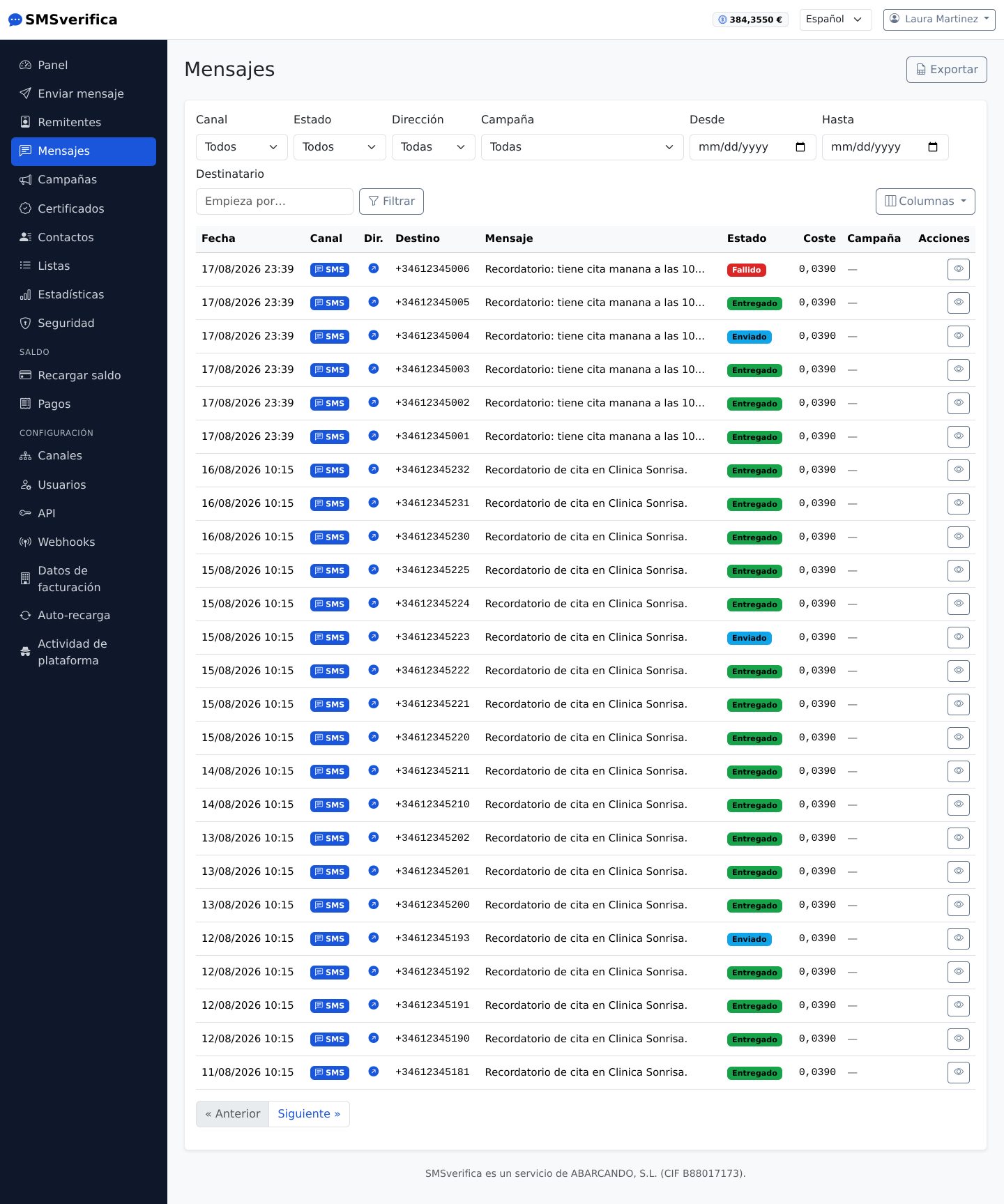
Each message has a row with its channel, destination, sender ID, cost and status. The Columns menu lets you hide the ones you do not use. The statuses:
| Status | What it means |
|---|---|
| Queued | Charged and waiting to go out (seconds). |
| Sent | The operator's network accepted it. Delivery not yet confirmed. |
| Delivered | Delivery receipt received. |
| Read | WhatsApp/Telegram only: the recipient opened it. |
| Failed | Could not be delivered. If the operator never accepted it, it is refunded automatically. |
Two honest caveats worth knowing:
- "Delivered" does not mean the same thing in every country. In many destinations, the receipt only confirms that the network accepted the message. When a destination has an unreliable receipt, we warn you before you send.
- A message accepted by the network that later fails (phone switched off for weeks, full inbox…) is billed all the same, because the networks bill it to us. The automatic refund covers failures before acceptance.
From the history you can open the detail of each message (parts, cost, receipts with exact time) and export the filtered list to CSV.