SMS, WhatsApp and Telegram messaging platform for businesses — bulk sending, OTP verification, certified messaging with evidential value and a REST API, with prepaid balance in euros that never expires.
1. What SMSverifica is and what you need to get started
SMSverifica is the messaging platform of ABARCANDO, S.L., an operator registered in the CNMC Operators Register and a provider registered at origin (PRO) in the Sender ID Register (Registro de Alias). From a single panel — and a single API — you send:
- SMS to more than 200 destinations, with your own brand as the sender ID in Spain.
- WhatsApp through the official WhatsApp Business API (Meta).
- Telegram through your own bot.
- Certified messages with an evidence record and a qualified electronic time stamp, for when you need to be able to prove what you sent and what happened.
To get started all you need is a company email address and a mobile phone. The balance is prepaid, in euros and never expires: each message has a fixed price depending on country and channel, no matter how much you top up.
Do you send a high monthly volume to a specific country? We are always open to negotiating, to match or improve your current rate for very high volume to that country.
The two states of your account
- Test mode (sandbox) — you get in as soon as you verify your email. Everything works (panel, API, campaigns) but no message actually goes out and you do not spend a single euro: sends are simulated and marked as "Simulated". This is the environment for integrating and testing without risk.
- Approved account: live sending — someone from the platform reviews your registration and approves it. From that moment your messages go out over the real networks and are charged against your balance, and the money side opens up: topping up your balance, payment methods and invoices. If you would rather keep testing for a while with the account already approved, ask us and we will keep it in test mode.
While you are in test mode you always see a permanent notice in the panel; in
the API, every response carries the X-Sandbox: true header.
Test messages expire and are capped. Your test history is deleted after 30 days — they are not real deliveries and there is nothing to keep — and a test-mode account can simulate up to 10,000 messages in total (on top of the 200 per day). When you run out, there is no point waiting until tomorrow: request approval of your account and every cap disappears. The panel and the API tell you how many you have left before you get there.
2. The dashboard
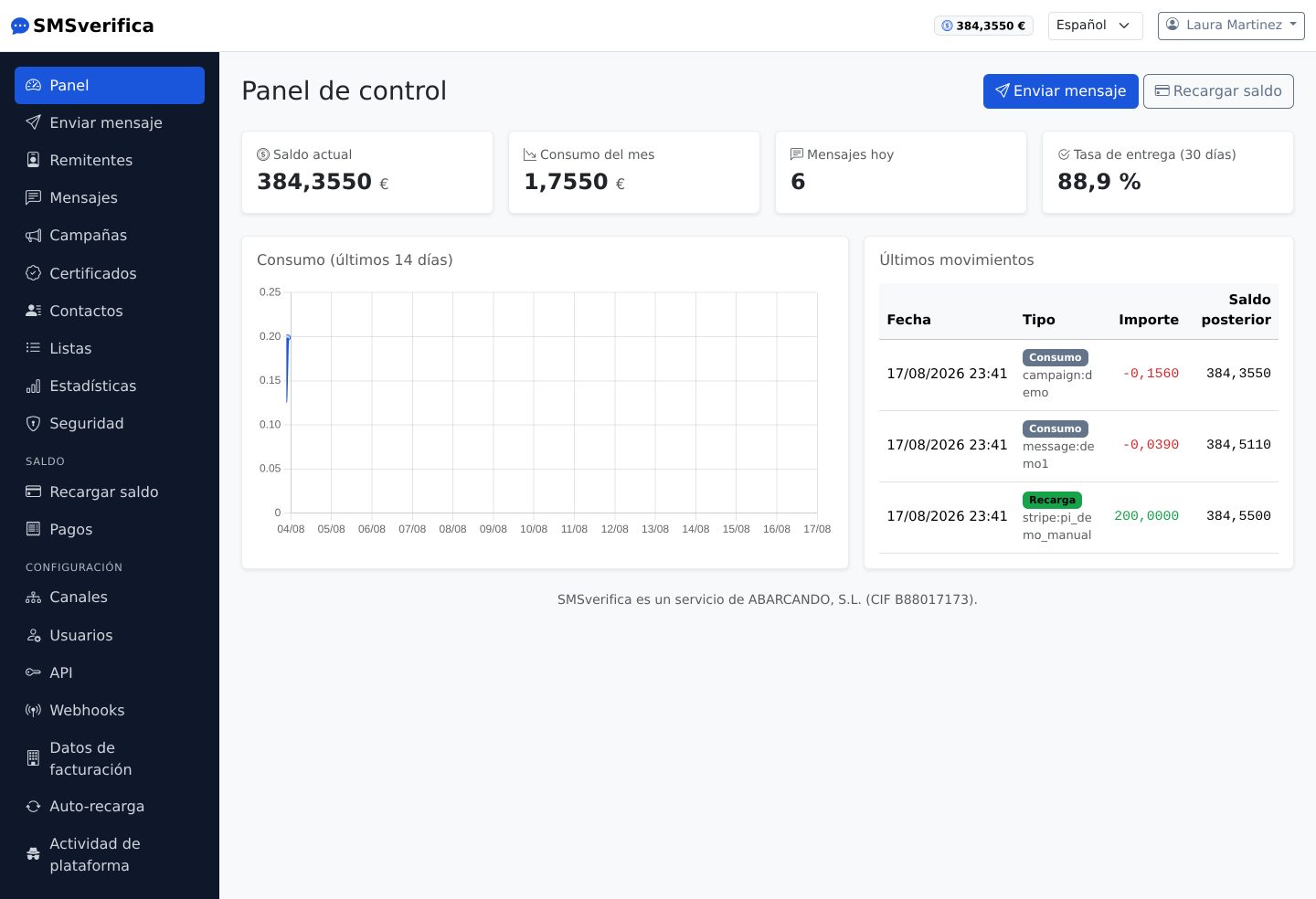
When you log in you see what matters at a glance:
- Current balance in euros (always visible at the top right).
- This month's usage and today's messages.
- Delivery rate over the last 30 days — the percentage of messages with a confirmed delivery receipt.
- The 14-day usage chart and the latest balance movements.
The two buttons at the top — Send message and Top up — are the two actions you will use most.
3. Senders: the brand name your SMS messages arrive under
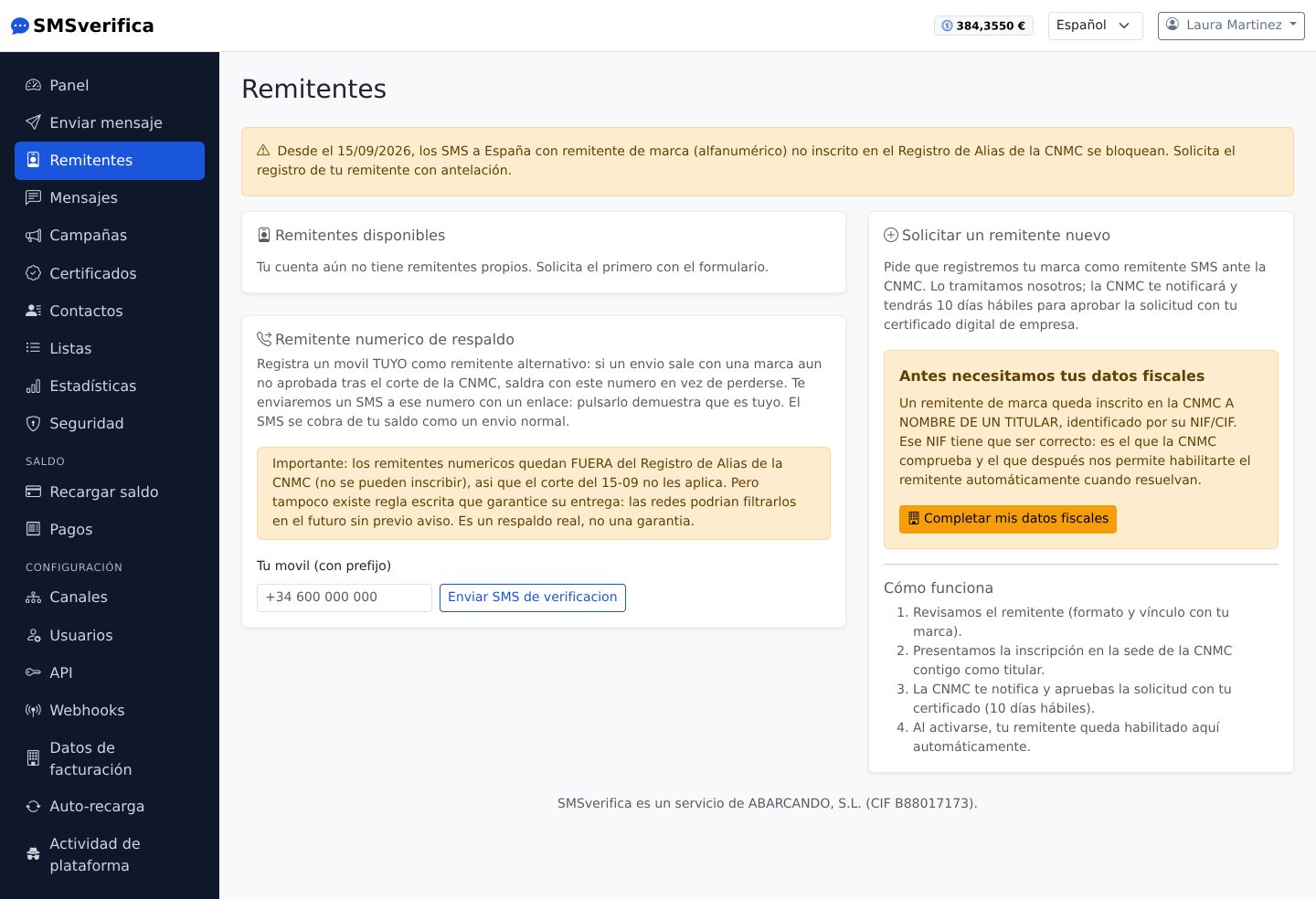
In Spain, the name that appears as the sender of an SMS (the alias, for
example MICLINICA) is regulated: from 15 September 2026, SMS messages to
Spain with a brand sender ID that is not registered in the CNMC Sender ID
Register are blocked at origin. This screen exists so that this does not
catch you out.
Requesting a brand sender ID
- First complete your billing details (NIF/CIF tax ID): a sender ID is registered with the CNMC in the name of a holder, and that holder is you. The tax ID must be correct: it is the one the CNMC checks.
- Under Request a new sender ID, enter your brand (up to 11 characters, letters and numbers) and its justification (your registered company name, your registered trademark, your domain…).
- Someone from the platform reviews every request — format, link to your brand and ownership — and sets it up in your account.
- You file the registration with the CNMC yourself, using your company's digital certificate, on form 213: choose «Inscripción de alias» (type SMS/MMS) and name us as the originating provider (ABARCANDO, S.L., tax ID B88017173). We do not file it for you because the electronic office requires your company's representation certificate and the personal details of the signer, which we do not hold and should not ask you for. What we do is walk you through it over the phone while you fill it in.
- The CNMC decides. It is currently taking weeks and the clock starts when you file, so it is best not to let it slide.
- Once resolved, the sender ID is automatically enabled in your account: we check it daily against the official download of the Register.
If your sender ID is already registered with another operator
Nobody has to be removed. The same sender ID can have several providers at once, and each one has its own registration: the providers you already have stay exactly as they are.
You file it yourself, and not to give you work: the electronic office requires your company's representation certificate and the personal details of the signer. We do not hold them and should not ask you for them — the filing is always signed by the brand holder. What we do is walk you through it: call us and we fill it in together over the phone in ten minutes.
It is the same form 213, request type Inscripción de Alias, entering ABARCANDO, S.L. as the provider and the justification of your link with the brand (your registered company name, your trademark or your domain).
As soon as the CNMC reflects it in the Register, your sender ID will appear as enabled on this screen without you having to tell us: synchronisation is daily.
The numeric fallback sender ID
You can register one of your own mobile numbers as an alternative sender ID, and so be able to receive replies: we send an SMS to that number with a link and, when you tap it, it is verified as yours. If a message goes out with a brand that is not yet approved after the CNMC cut-off date, it will go out with that number instead of being lost.
Important, said plainly: numeric sender IDs are outside the Sender ID Register (they cannot be registered with the CNMC), so the cut-off does not apply to them — but neither is there any written rule guaranteeing their delivery forever. It is a real fallback, it is not a guarantee.
4. Sending a message
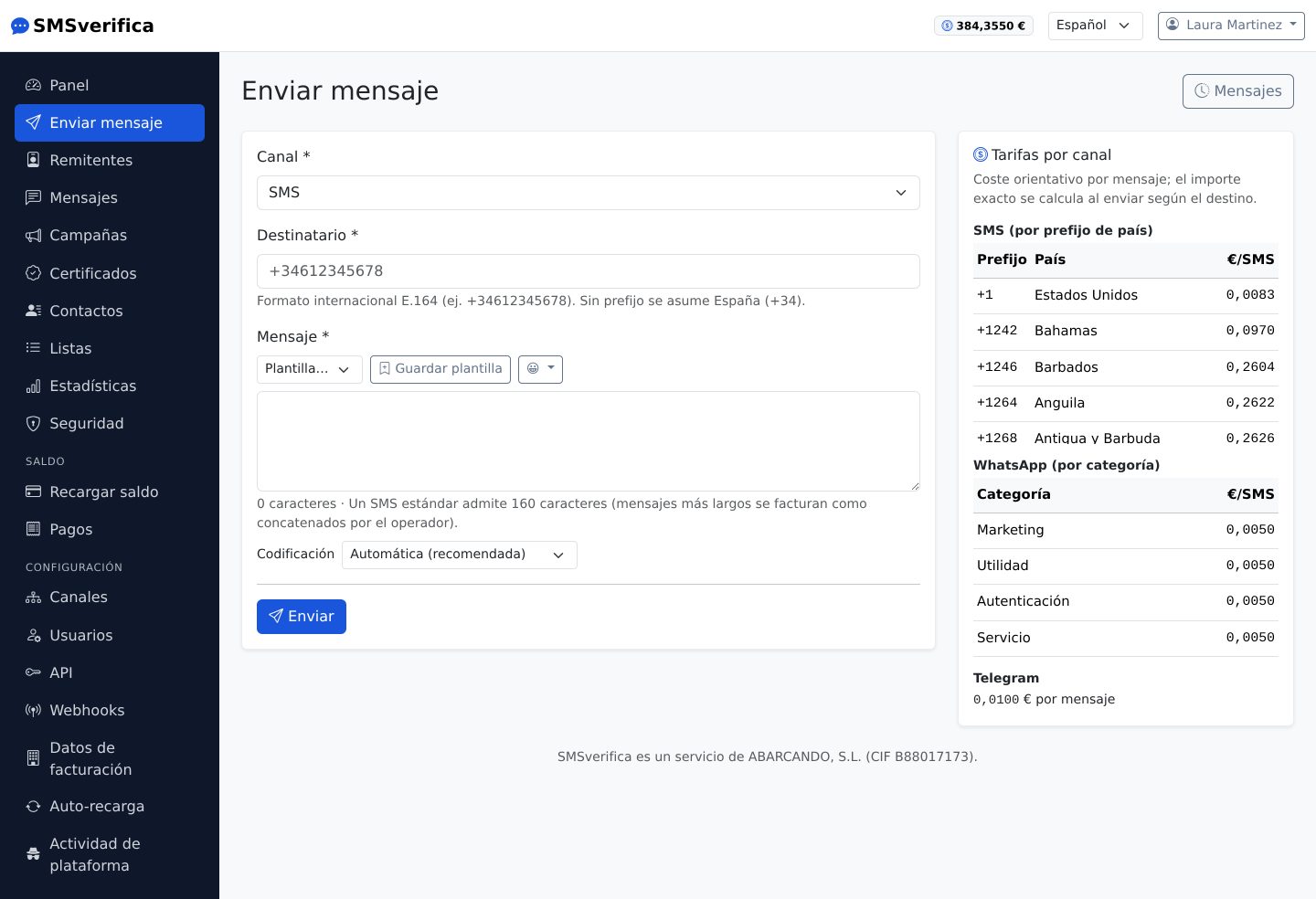
The sending screen works for all three channels; you choose the Channel at the top and the form adapts:
- Recipient in international E.164 format (
+34612345678). If you do not enter a country code, Spain is assumed — and the platform watches for the two typical mistakes: a foreign number without its country code is rejected with a message telling you how to fix it, and a number that ends up as a Spanish landline (8xx/9xx, which normally does not receive SMS) is sent but with a warning, because it is usually a foreign mobile missing its country code (the classic case: a Portuguese 9xx mobile typed in as is). In bulk contact imports, the summary tells you how many numbers in the file ended up like this, so you can fix them before launching the campaign. - Message with a character counter. A standard SMS allows 160 characters; longer ones are sent as concatenated messages and the operator bills each part as an SMS (the counter tells you how many parts there are).
- Accents and emojis count: a single character outside the GSM alphabet forces Unicode encoding and the SMS goes from 160 to 70 characters per part. The "Automatic" encoding always picks the cheapest one.
- Templates: save the texts you repeat and reuse them with one click.
- Opt-out link: if the message is marketing, press Opt-out link (or
write
{BAJA}in the text). It becomes a short link that lets the recipient stop receiving your marketing messages in one step; Spanish law (LSSI, art. 21) requires offering it in every one. If that person has already opted out, the send is rejected at no charge. Messages without{BAJA}—codes, appointments, notices— are never blocked. - Delivery options (SMS only): a Flash SMS appears directly on the phone screen, without opening the inbox; the validity period makes the operator discard it if it could not be delivered in time, useful for codes that expire.
- Page: choose one of your pages and press Page (or write
{PAGINA}): it becomes a link to it, different for each recipient (see “Pages” in section 7). - The Rates by channel panel on the right tells you the cost per destination before you send; the exact amount is calculated on sending according to the country.
On WhatsApp, if you use a template approved by Meta, the category Meta bills (marketing, utility, authentication or service) is the one Meta has assigned to that template. Our platform price is the same for all four; the conversation is billed by Meta separately, against your WhatsApp Business account.
5. The message history and the statuses
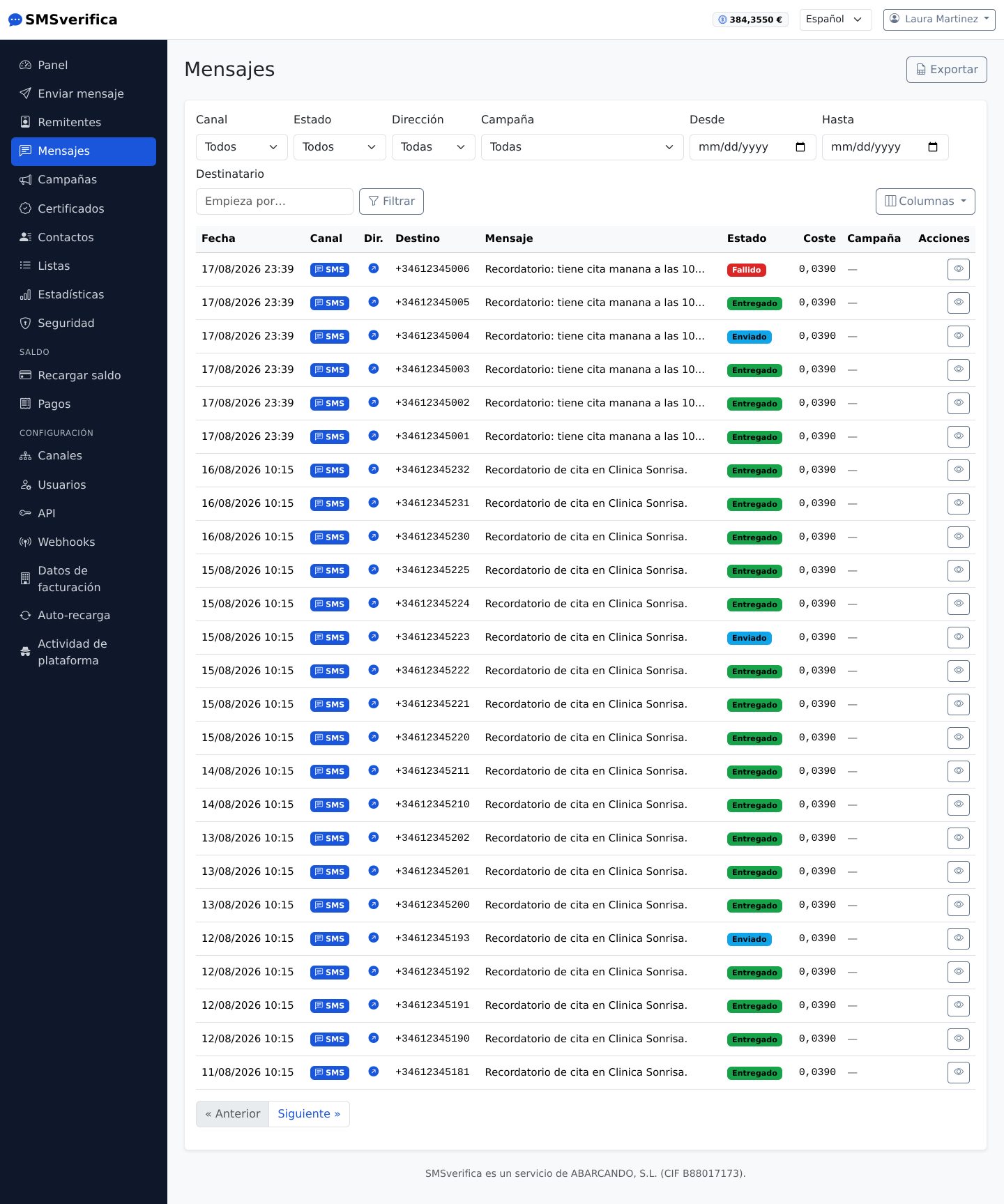
Each message has a row with its channel, destination, sender ID, cost and status. The Columns menu lets you hide the ones you do not use. The statuses:
| Status | What it means |
|---|---|
| Queued | Charged and waiting to go out (seconds). |
| Sent | The operator's network accepted it. Delivery not yet confirmed. |
| Delivered | Delivery receipt received. |
| Read | WhatsApp/Telegram only: the recipient opened it. |
| Failed | Could not be delivered. If the operator never accepted it, it is refunded automatically. |
Two honest caveats worth knowing:
- "Delivered" does not mean the same thing in every country. In many destinations, the receipt only confirms that the network accepted the message. When a destination has an unreliable receipt, we warn you before you send.
- A message accepted by the network that later fails (phone switched off for weeks, full inbox…) is billed all the same, because the networks bill it to us. The automatic refund covers failures before acceptance.
From the history you can open the detail of each message (parts, cost, receipts with exact time) and export the filtered list to CSV.
6. Contacts and lists
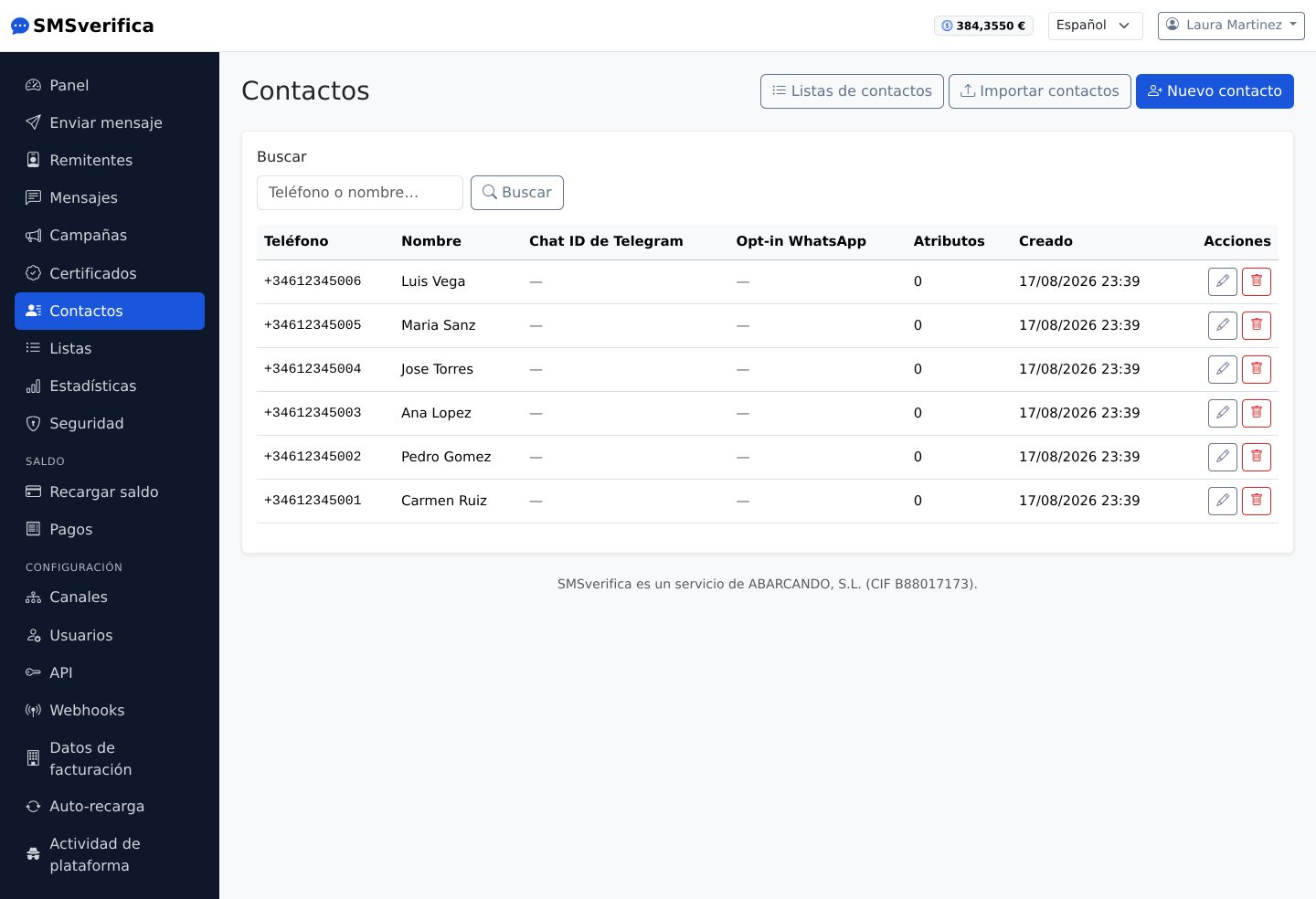
The address book stores your recipients with name, phone number in E.164 and
free-form attributes (for example {nombre}, {cita}) that you then use to
personalise campaigns.
Importing from a file
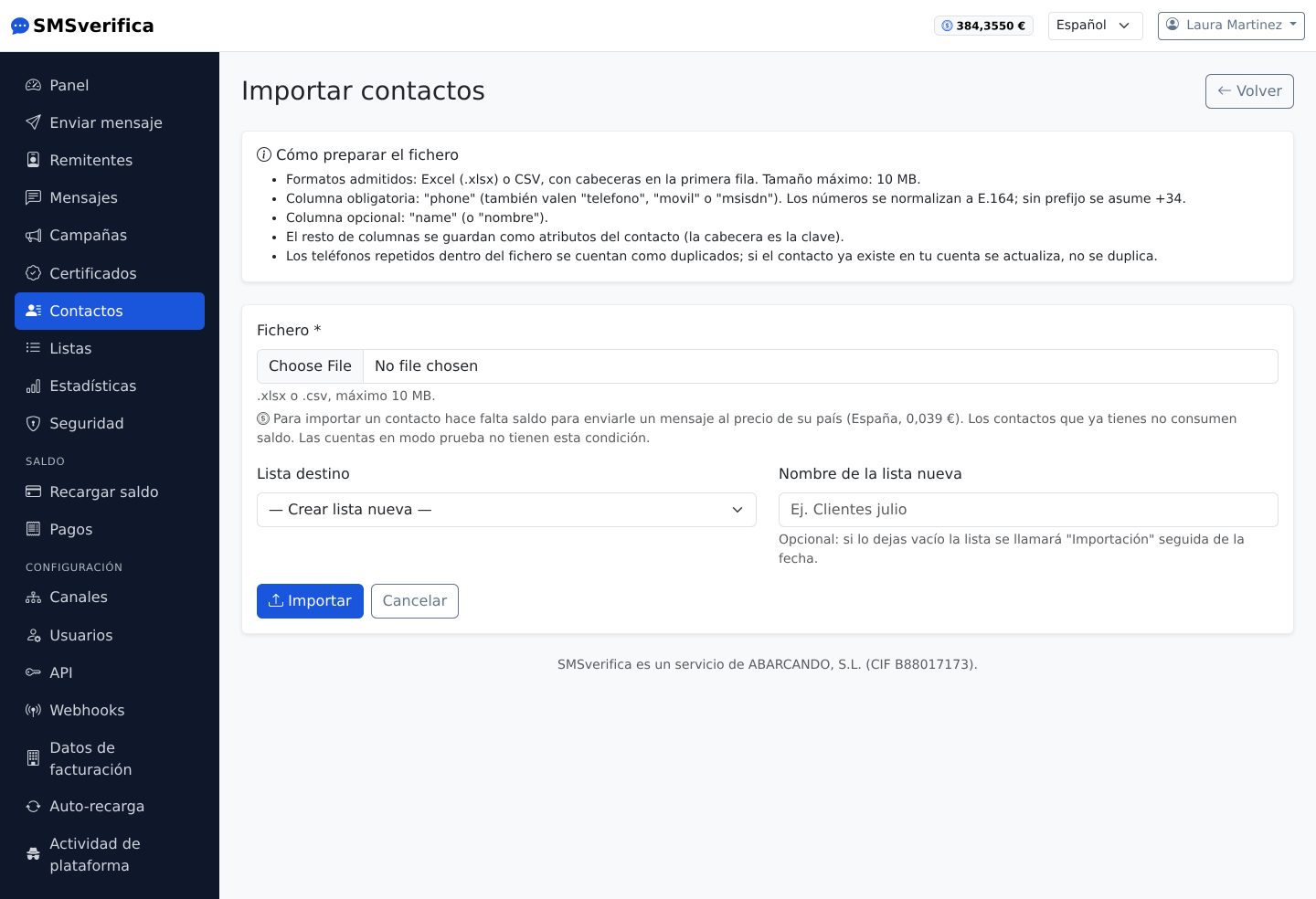
Upload a CSV with a phone number column (and as many data columns as you want). Rules that save you from nasty surprises:
- Numbers are normalised to E.164 and duplicates are not created twice.
- The import requires your balance to cover at least one message to each contact you would have after the upload. Nothing is charged: it is the gate that prevents you uploading lists you will not be able to use afterwards. If the balance is not enough, the import stops and reports how much is missing.
Lists
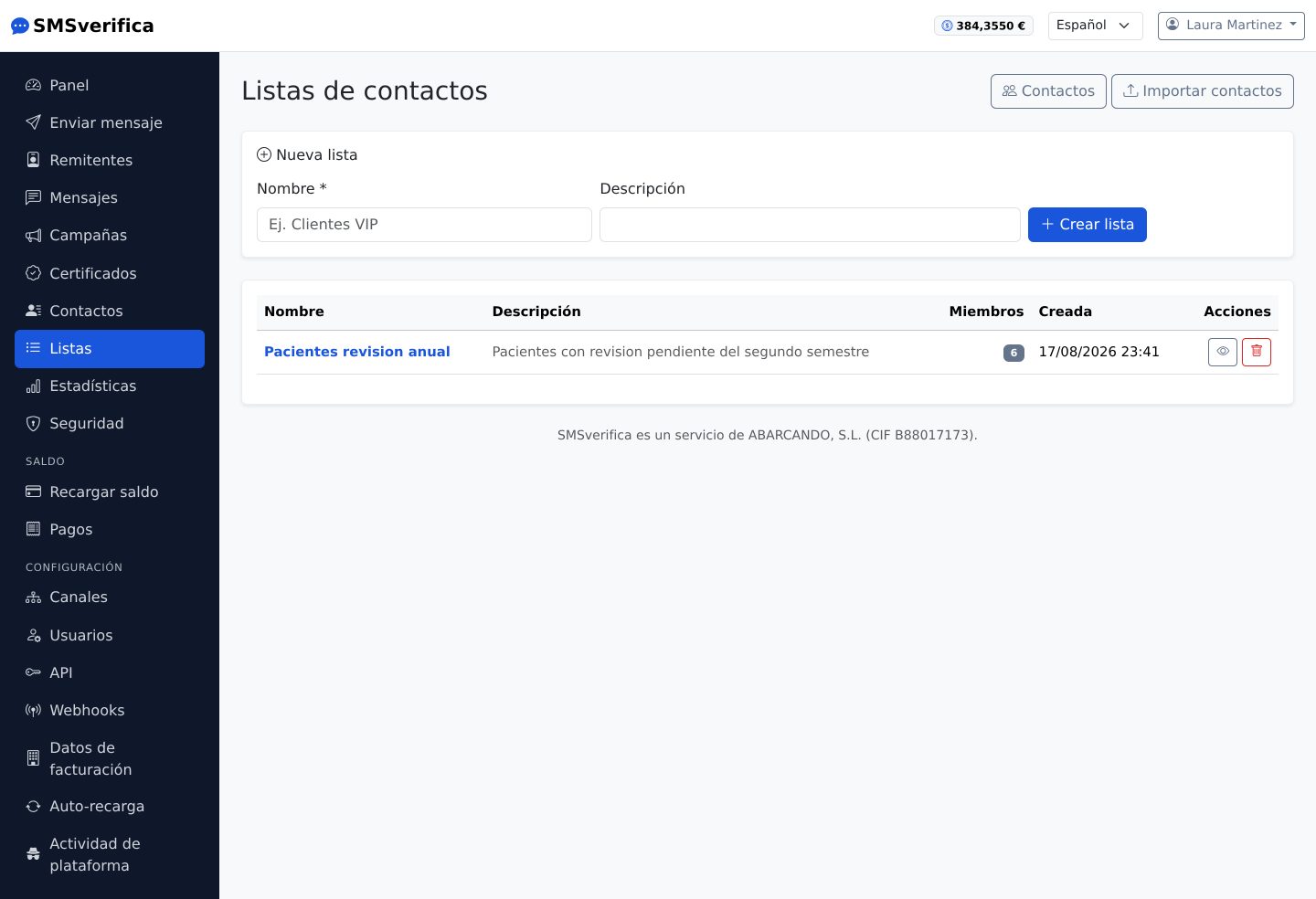
Lists group contacts ("Annual check-up patients", "VIP customers") and are the natural source of a campaign. A contact can belong to several.
7. Campaigns: the same message to hundreds or thousands
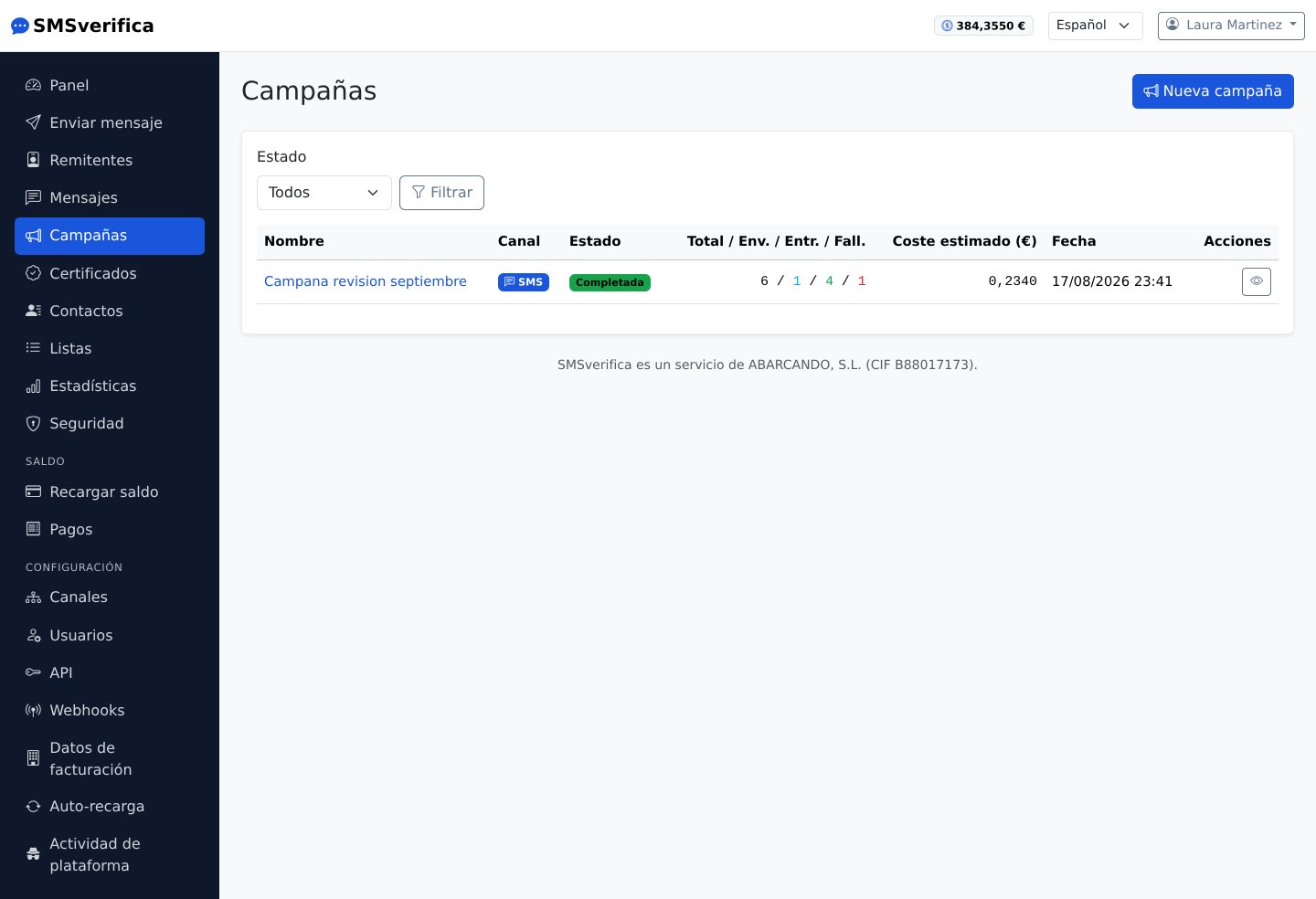
A campaign sends a message — which can be personalised — to an entire list, to a file uploaded on the spot, or to a manual selection.
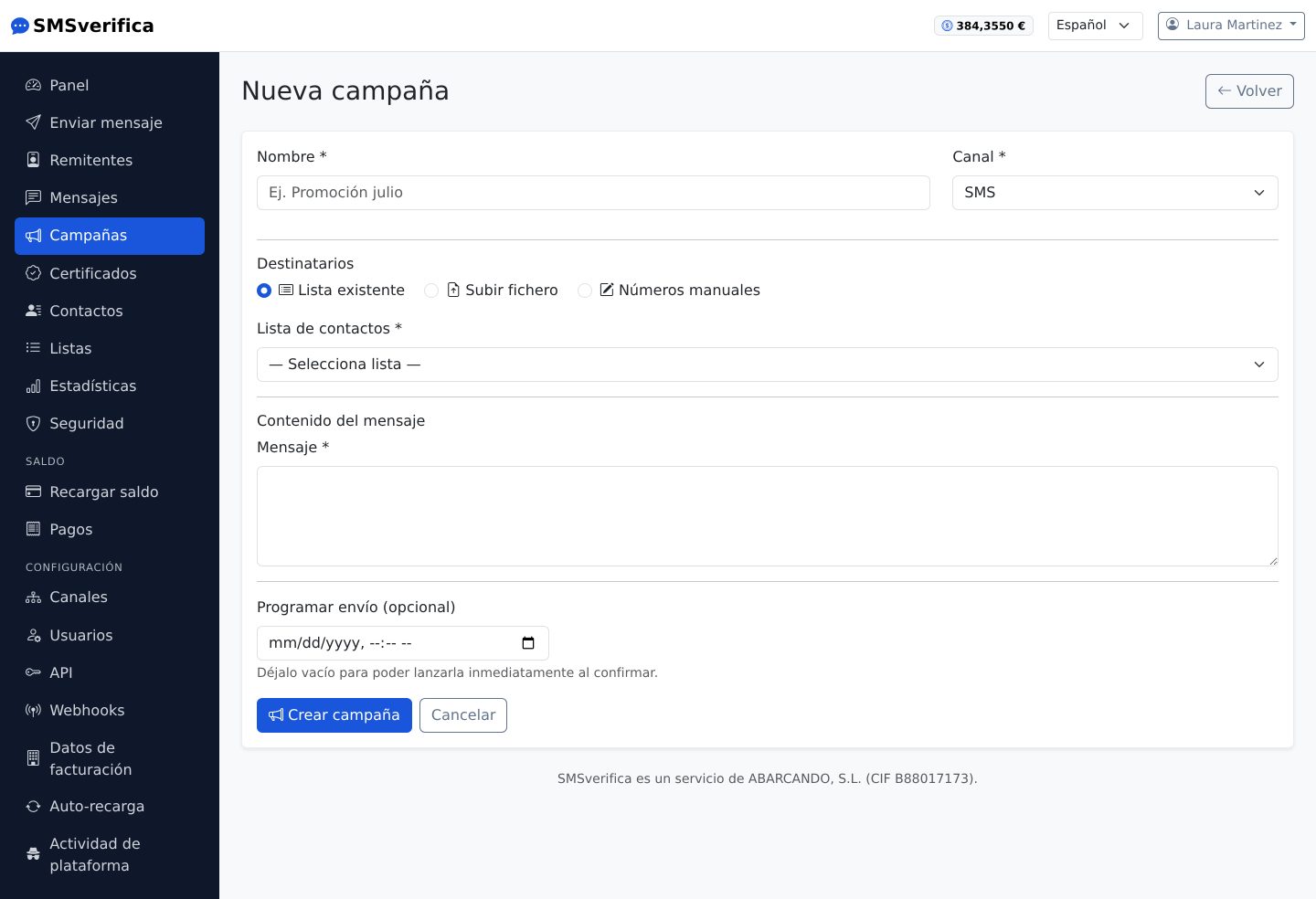
- Choose the channel, the source (list, file or manual) and write the
text. You can use personalised fields:
Hola {nombre}, toca revisión anual…{nombre}is the contact's name, and any column of your file is a field: “Fecha cita” is written{fecha_cita}(dates come out as03/10/2026). If a contact lacks a value, that part is left empty for them. - The platform calculates the cost estimate before you confirm: the price of each destination times the SMS parts of each recipient —with personalised fields, each one receives their own text and pays for their own—. Right there you see the real text of the first contacts and how many lack each field.
- Schedule the date and time if you do not want it to go out right away.
- Confirm. Progress is shown live: queued → sent → delivered, with failures counted separately and refunded where applicable.
Each recipient generates their own message in the history, with its own cost and its own receipt: the campaign is the folder, not a black box.
Who clicked
If the text carries a link (with Shorten campaign links ticked), each recipient gets their own, of the same length: neither the price nor the sending speed changes. So the campaign page tells you how many people clicked —not just how many clicks— and each message page shows whether that person opened the link and when. The previews that WhatsApp, iMessage or Telegram generate when a link arrives do not count as clicks.
Write again
Once the campaign has gone out, its page lets you write again to those who clicked, those who did not, or those it did not reach. A list is created with those people and a new campaign opens with the same text, for you to change; nothing is sent until you confirm it, and opted-out recipients will not get it.
Test send
Before confirming, on the campaign page you can send a test to your mobile: you get the text exactly as the first contact on the list will, with their data and links. It is charged as a normal message and does not count in the campaign.
Time window and speed
In Time window and speed you can limit sending to certain hours and days (for example, 9:00 to 21:00 Monday to Friday): outside the window, the campaign waits for the next opening by itself. And you can set a maximum number of messages per minute, so your switchboard or website is not overwhelmed if many people reply at once.
Reminders by date: appointments and birthdays
If your file has a column with a date —the appointment, the date of birth—, in
Send by a date of each contact you choose that column (fecha_cita), how
many days before and at what time. Each contact receives the message on
their day: with “appointment”, the date as is; with “anniversary”, its day
and month the next time it comes. Combine it with personalised fields:
Le recordamos su cita del {fecha_cita}.
Contacts without a date, or with a date already past, are neither sent anything nor charged: it is recorded with the reason. The campaign stays in progress until the last contact gets their message, and its page shows how many are still waiting for their day and when the next send is. The balance is checked on confirming for the whole list; if later it is not enough, those messages do not go out.
Pages: forms and documents from the SMS
In Pages you prepare a page with a title, text, images, buttons, PDF
documents and a form (text, email, phone, date, Spanish ID, drop-down,
checkboxes…), with your colour and your logo, and you preview it before using
it. When writing the message, choose the page and press Page: {PAGINA}
becomes a different link for each recipient.
So you know who opened it and who replied: replies come with the phone number it was sent to, you see them on the page and download them as CSV, and the campaign lets you write again to those who did not reply. A document can ask for “I have read and accept” and the date is recorded; if you need the acceptance to serve as evidence, use certified messaging (section 8).
For security, a form cannot ask for passwords, PINs or card details, and pages are only published once your account is approved. The PDFs and images you upload use your account's space (100 MB); you can see it in Files.
Each page is published for two years included. After that, keeping it costs a yearly fee based on its traffic: €0.002 per person who opened it in the last year, with a minimum of €5.00 a year, deducted from your balance. We email you 30 days before with the calculated amount; if you do not need it, untick “Renew automatically” and it will stop being published without deleting anything. If you have a lot of traffic, the price per visitor is negotiable.
Terms with a receipt. Add the Terms block with your text (the terms of a service, a consent form…): whoever reads it ticks “I have read and accept” and a PDF receipt is produced with the exact text accepted, the date and the form data. On the page you choose whether we email it to the person who accepts (it needs an “Email” question), to your address or to both; they can also download it on the spot, and you always have it under Responses. If you change the text later, earlier acceptances do not change. The link in each SMS is personal: once accepted, if the person opens it again they only see when they first opened it and when they accepted, and they cannot accept again.
The person who accepts also receives an SMS on their mobile confirming what they accepted, when, and the reference; if they came through the public link, the page asks for their mobile. It is charged to your balance and you choose the level for each page: standard SMS (default) or certified SMS, which sends everything accepted as a certified communication and produces the evidence certificate with a Camerfirma timestamp as soon as it is delivered. The certificate costs more and gives more legal certainty; it is only available for Spanish mobiles. The “I have read and understood” box is mandatory: without ticking it, nobody can accept. To share the page without sending an SMS —in an email, a WhatsApp message or a QR code at the counter— create its public link from the editor.
Signatures: your customer signs on the tablet or on their mobile
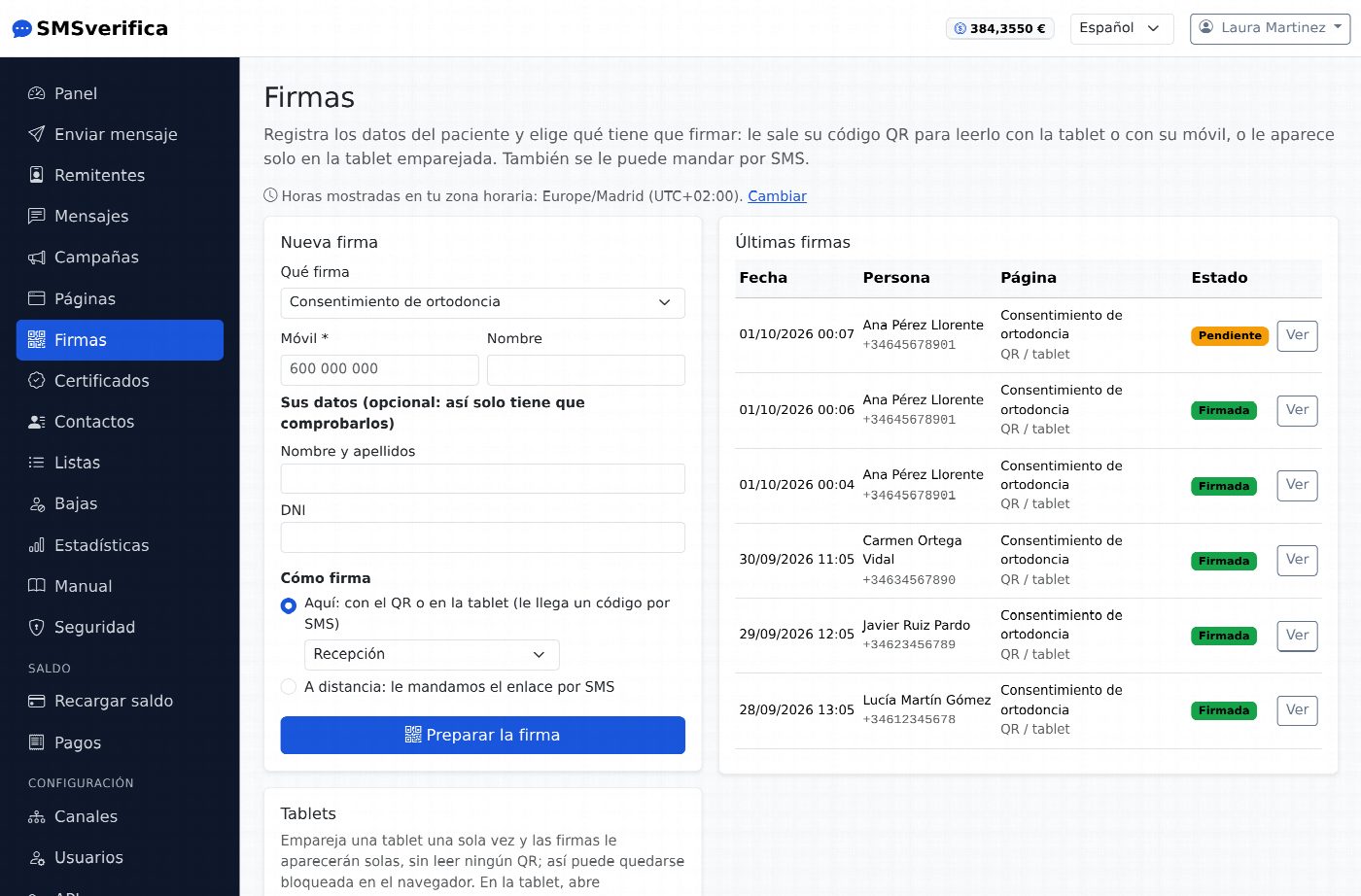
In Signatures you enter the person’s details (mobile, name and, if you wish, the page answers so they only have to check them) and choose what they have to sign: a page with terms or with a document. You get their QR code: the tablet in your premises or their own mobile scans it and opens their signing page, with their details already filled in. They check that the mobile and details are correct, read, tick the mandatory box and receive a code by SMS: entering it signs. When they finish, their mobile gets the confirmation SMS with the link to their receipt; nothing stays on the tablet, it cannot be downloaded or navigated back to, and if nobody touches it, it returns to the start on its own.
If you pair the tablet once (Signatures → Tablets), signatures appear on it on their own, without scanning any QR, and it can stay locked in the browser. You can also send them the link by SMS to sign from home: since the link already reaches their mobile, no code is needed. Each SMS (link, code and confirmation) is charged to your balance.
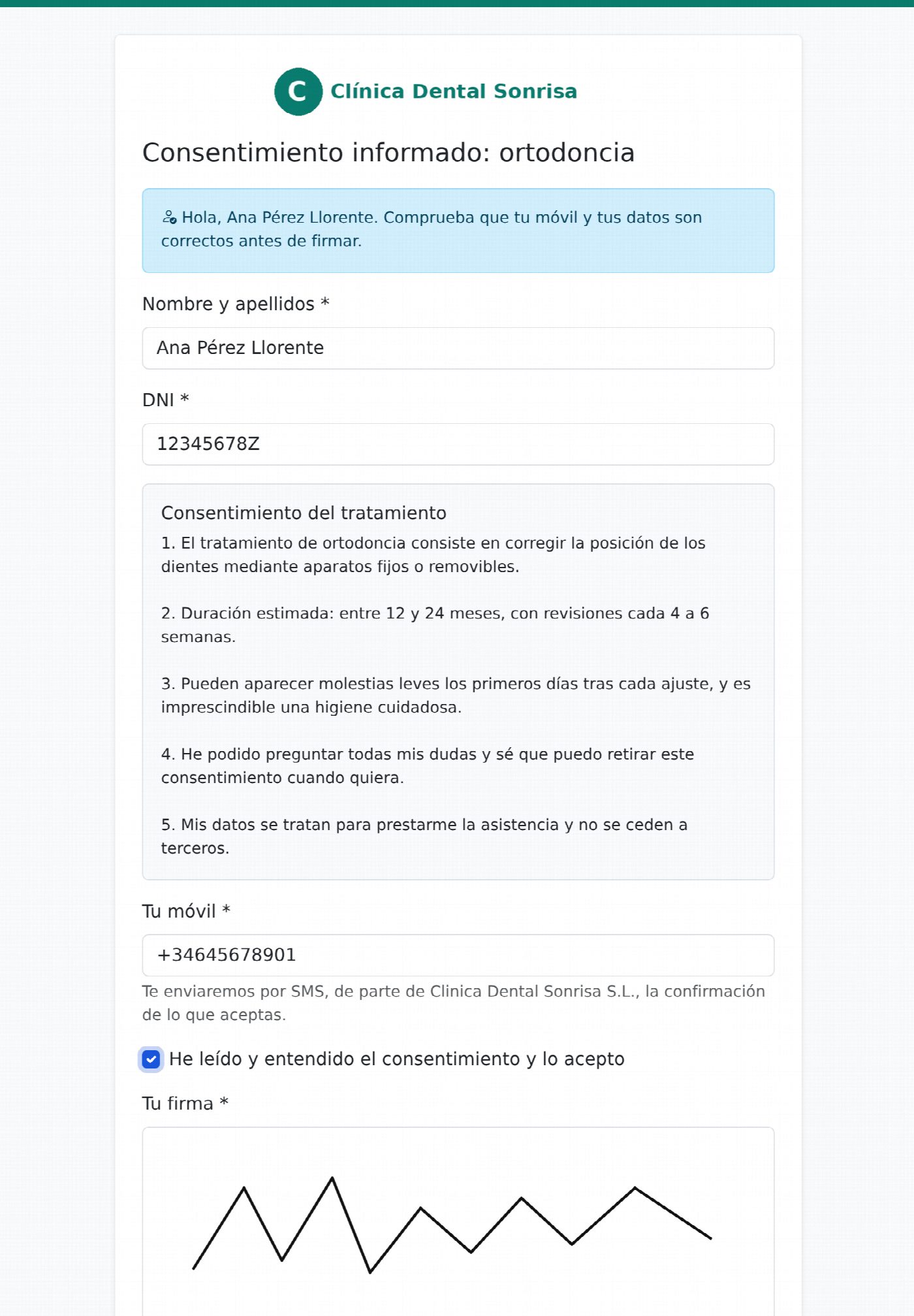
For each page you decide three things: whether they sign with the finger (a box to sign appears on the screen and the signature is shown on the receipt), whether signing with the QR or on the tablet needs the SMS code (with the finger signature on your own tablet you can do without it), and whether the confirmation SMS is sent at the end, which you can also turn off.
Price. Each signature or acceptance with a receipt costs €0.10 from your balance, whether it is done on the tablet, with the QR code or from the page link. The SMS (the link, the code and the confirmation) and the certificate are charged separately, each at its own rate. Nothing is charged in trial mode. If there is no balance, the page says so before the person fills anything in.
Opt-outs: people who do not want more marketing
Write {BAJA} in the text (or press Opt-out link) and it becomes a short
link, different for each recipient: whoever opens it stops receiving your
marketing messages with a single button, both in a single send and in a
campaign.
Campaigns are never sent to opted-out numbers, whether or not they carry the link: the contact shows as not sent, at no cost. The list is under Opt-outs in the menu: you can add by hand anyone who asks you by phone or in your shop, and only the account administrator can withdraw an opt-out —and should only do so if that person asks to receive your messages again—.
8. Certified messaging: when you need to be able to prove it
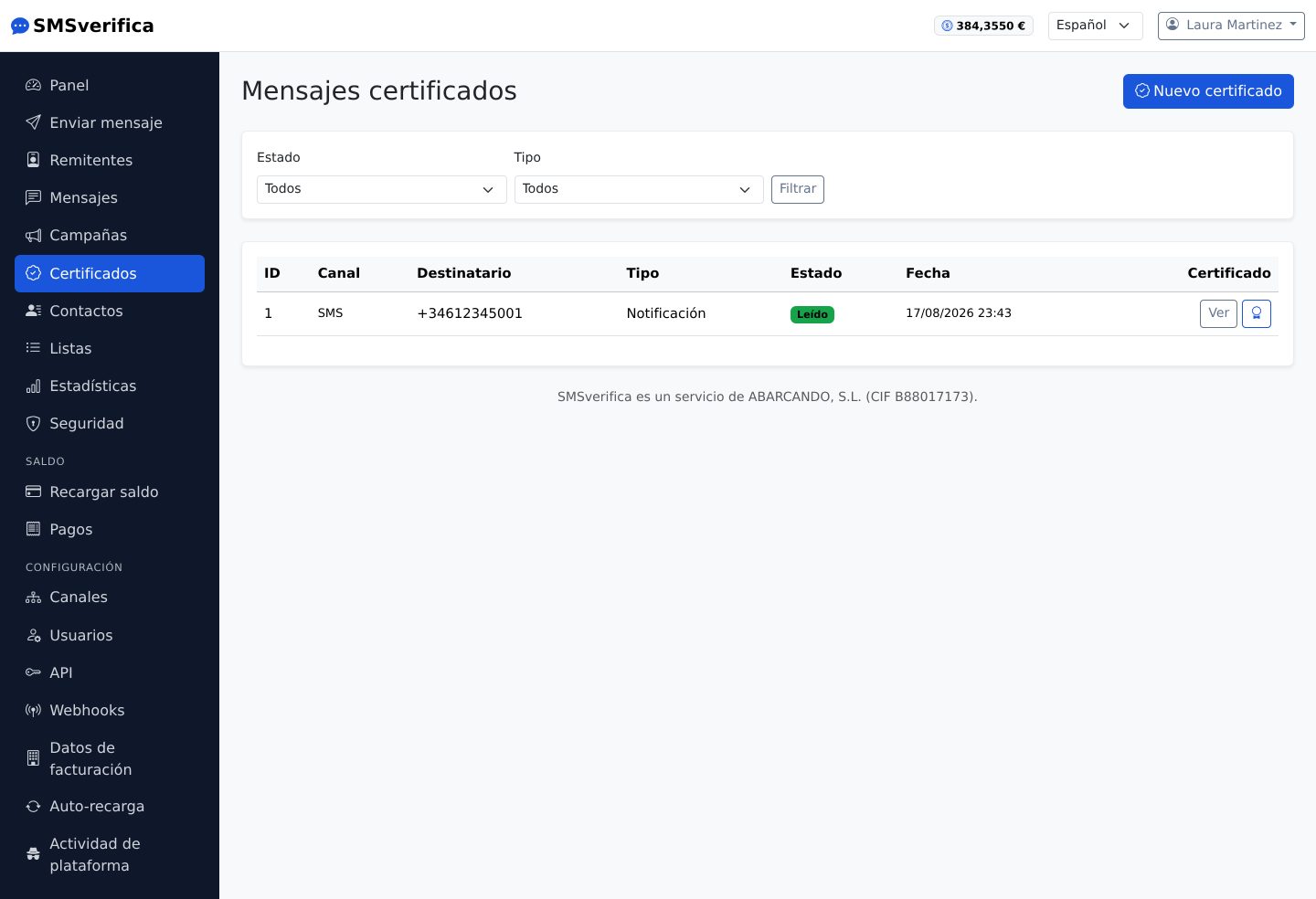
A certified message is not an SMS with decoration: it is an evidence record. When you send it:
- The full content is fixed with a cryptographic fingerprint (SHA-256) before it goes out.
- Every event — sending, acceptance, delivery, opening of the link, reading of the content, signature if you request it — is recorded with a date and time to the millisecond, chained to the previous event.
- The recipient receives an SMS with a link to their portal, where they read the full content (and sign with a one-time code, if it is a contract).
- The evidence PDF is issued when you request it and is closed with a qualified electronic time stamp from AC Camerfirma, S.A. (art. 42 of the eIDAS Regulation), with a legal presumption of accuracy of date and integrity (art. 41.2). It carries a public verification code: anyone can check the certificate without an account.
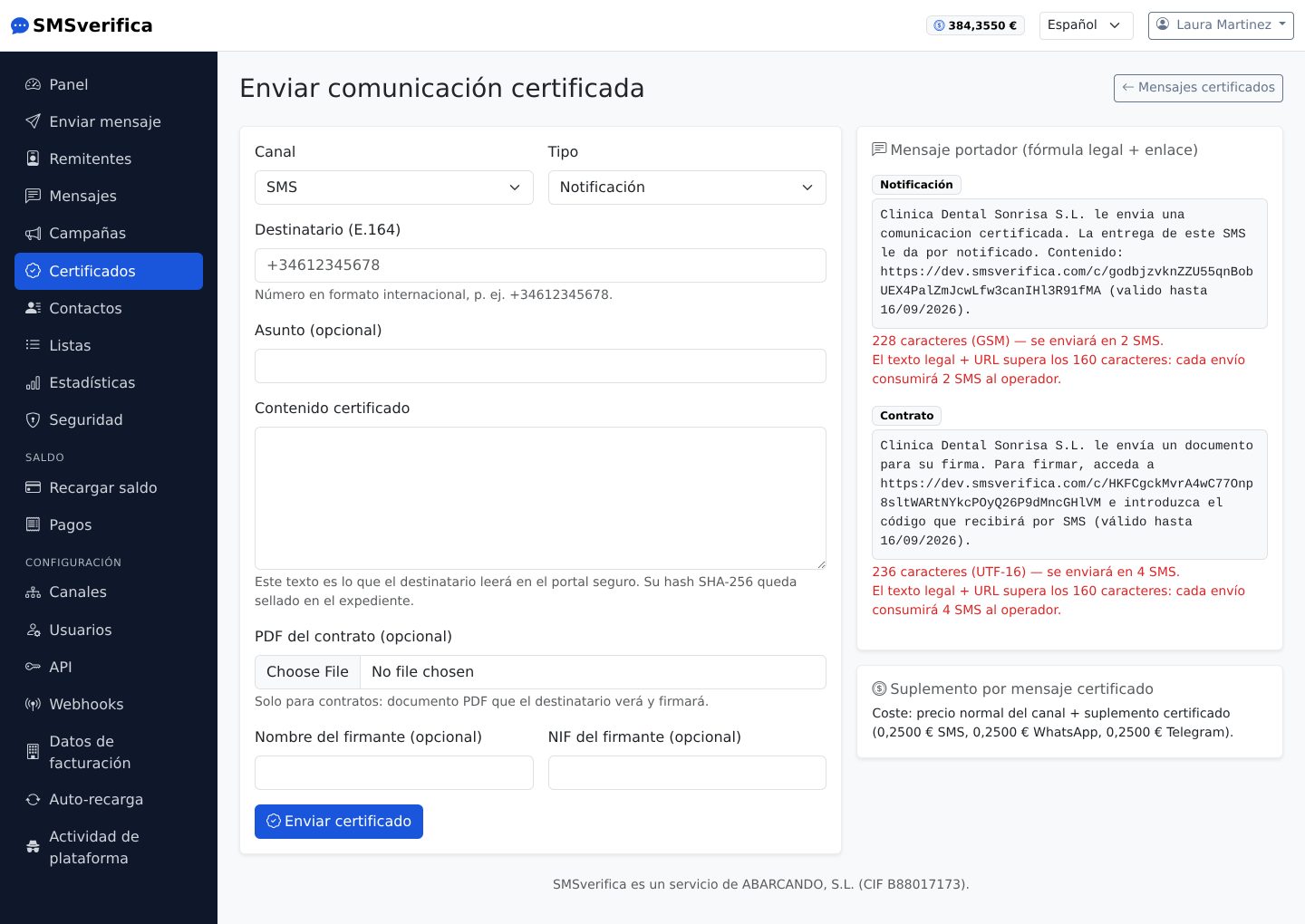
The limits, up front: available only to Spain (+34); it is a non-qualified electronic registered delivery service (art. 3.36 eIDAS) — what is qualified is the time stamp —; and the final assessment of the evidence is always the judge's. The full legal detail, with its citations, is at smsverifica.com/mensajeria-certificada.html.
Price: the channel price + €0.25 surcharge for certification (the same across all three channels).
9. Statistics
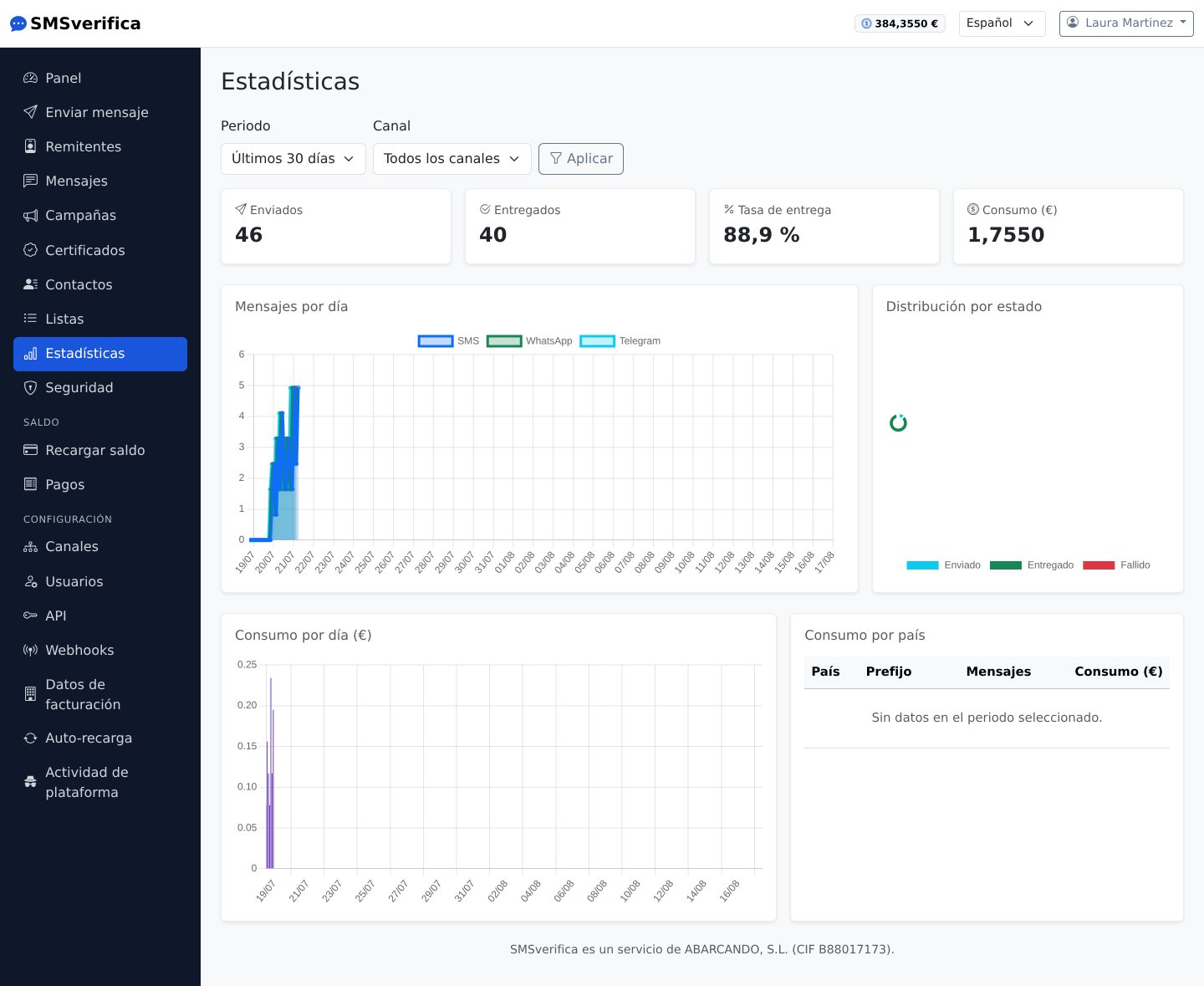
Usage and deliveries by day, by channel and by country, with the same figures as the history (they come from the same place). For management: how much is being sent, where to, and what delivery rate each destination has.
10. Balance: top-ups, payments and invoices
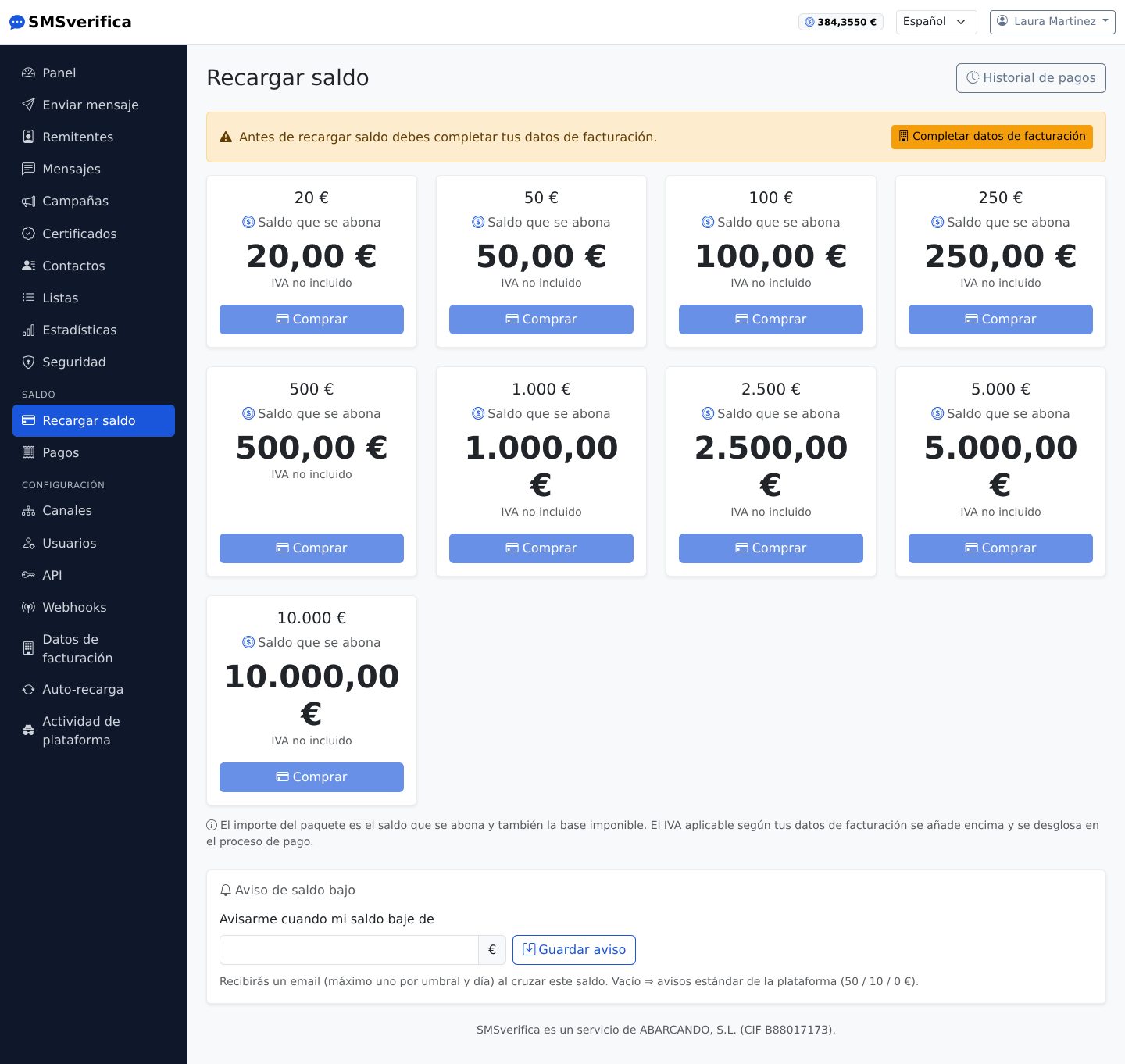
The model is deliberately simple:
- Top-ups at par: a €100 top-up is €100 of balance. VAT is charged on top and appears itemised on the invoice. There are no discounts for top-up volume: the price per message is the same whether you top up €50 or €5,000.
- Payment is by card (Stripe) and the credit is immediate. With deferred banking methods (SEPA), the balance is credited when the bank settles.
- The balance does not expire.
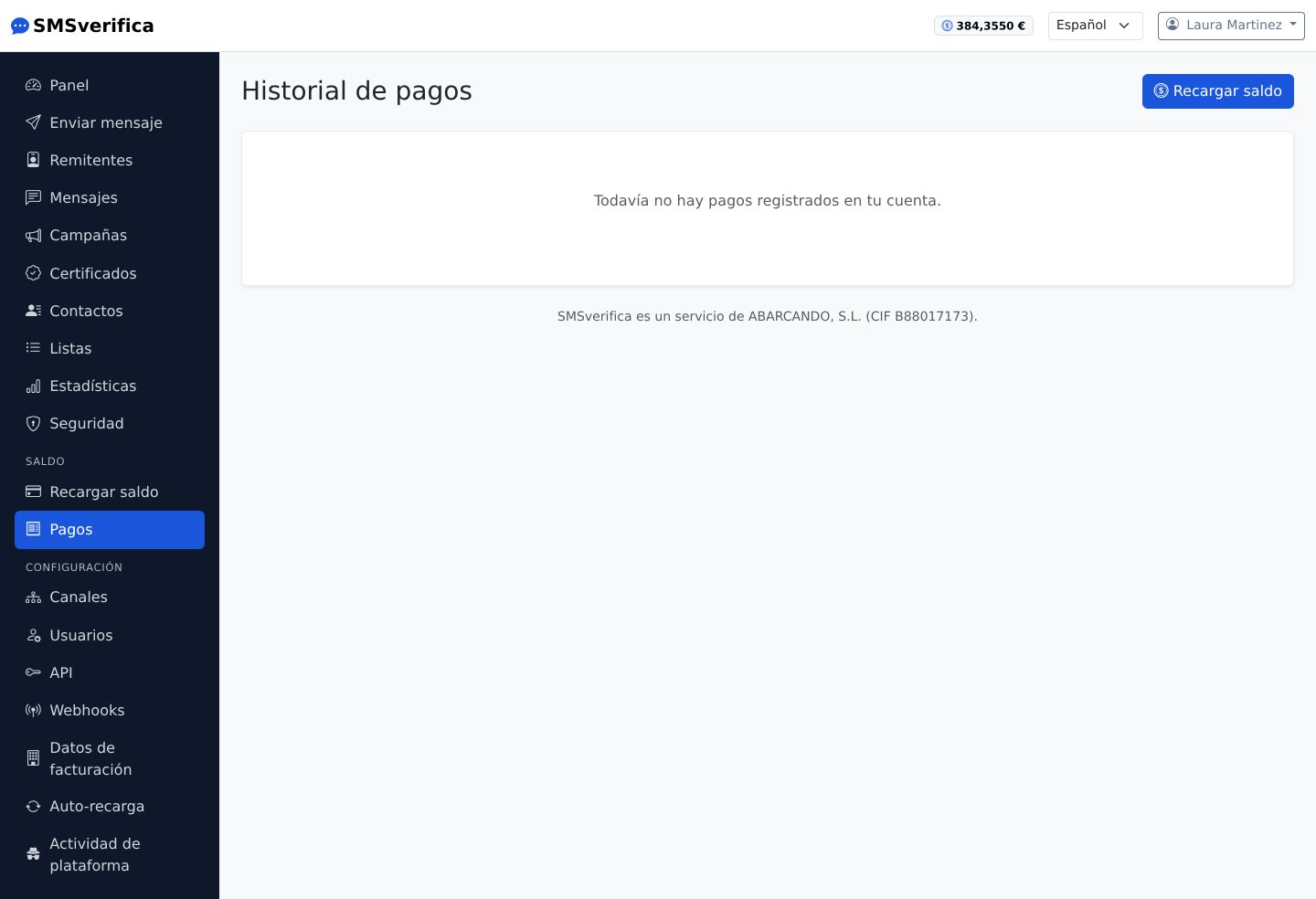
Every payment has its own Spanish invoice with sequential numbering, downloadable as a PDF. If your company operates under reverse charge or exemption, this is reflected according to your tax details.
Auto top-up
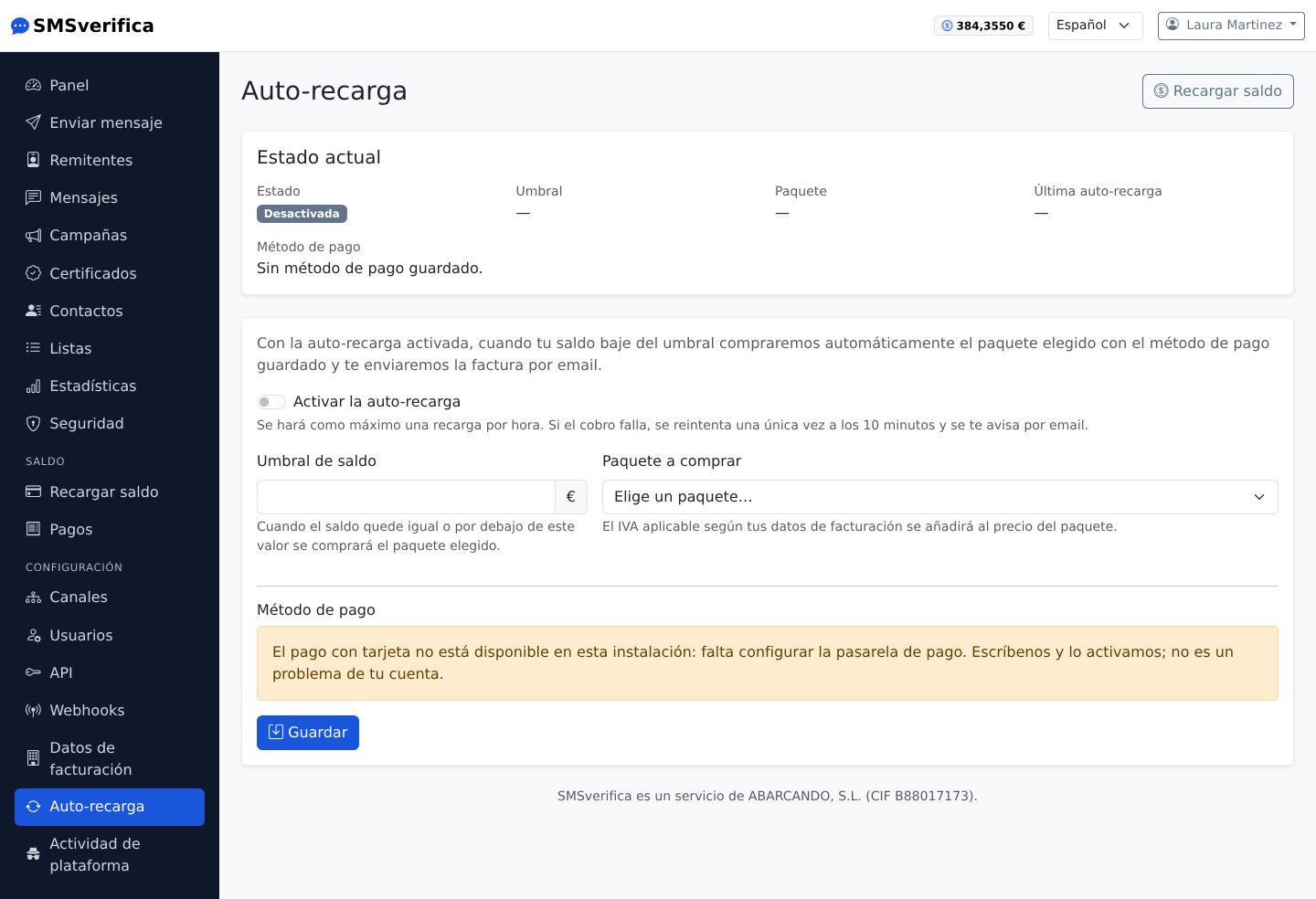
Set a threshold ("if I drop below €20") and a package ("top up €100"): when the balance crosses the threshold, it tops up automatically with your saved card and you receive the notice with the invoice. You can also set your own low balance alert threshold without auto top-up: we notify you by email and you decide.
11. The REST API: everything in the panel, from your own software
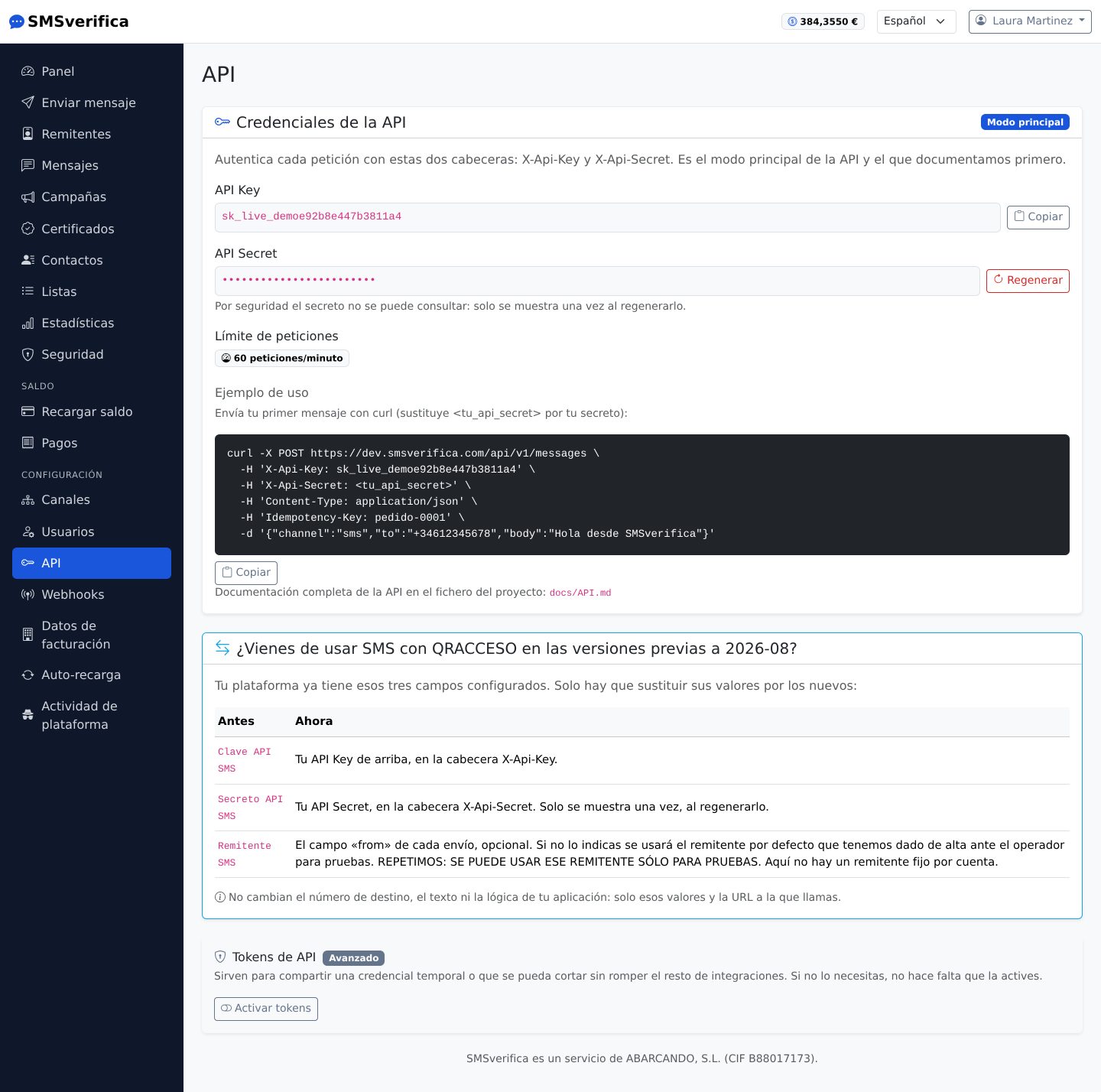
Everything the panel does can be done via the API
(https://app.smsverifica.com/api/v1):
POST /messages— send SMS, WhatsApp or Telegram.GET /messages/{id}andGET /messages— status and history.POST /campaigns— complete campaigns.POST /verify/startandPOST /verify/check— OTP verification ready to use: we generate the code, send it and check it for you.POST /certified— certified messaging.GET /account/balanceandGET /pricing/sms— balance and current rates.GET /sendersandGET /senders/check— your senders and what would happen today when sending with them to Spain: whether they go out with your brand, with the fallback sender or are rejected (CNMC Alias Registry).
Recommended authentication: Bearer token created on this screen (shown only
once; revocable; with optional expiry). Every creation request accepts an
Idempotency-Key, so a network retry never duplicates a send. With no balance,
the API responds 402 insufficient_balance — your integration can react by
topping up or raising an alert.
The full reference with curl examples is at
smsverifica.com/api-sms.html.
Status webhooks
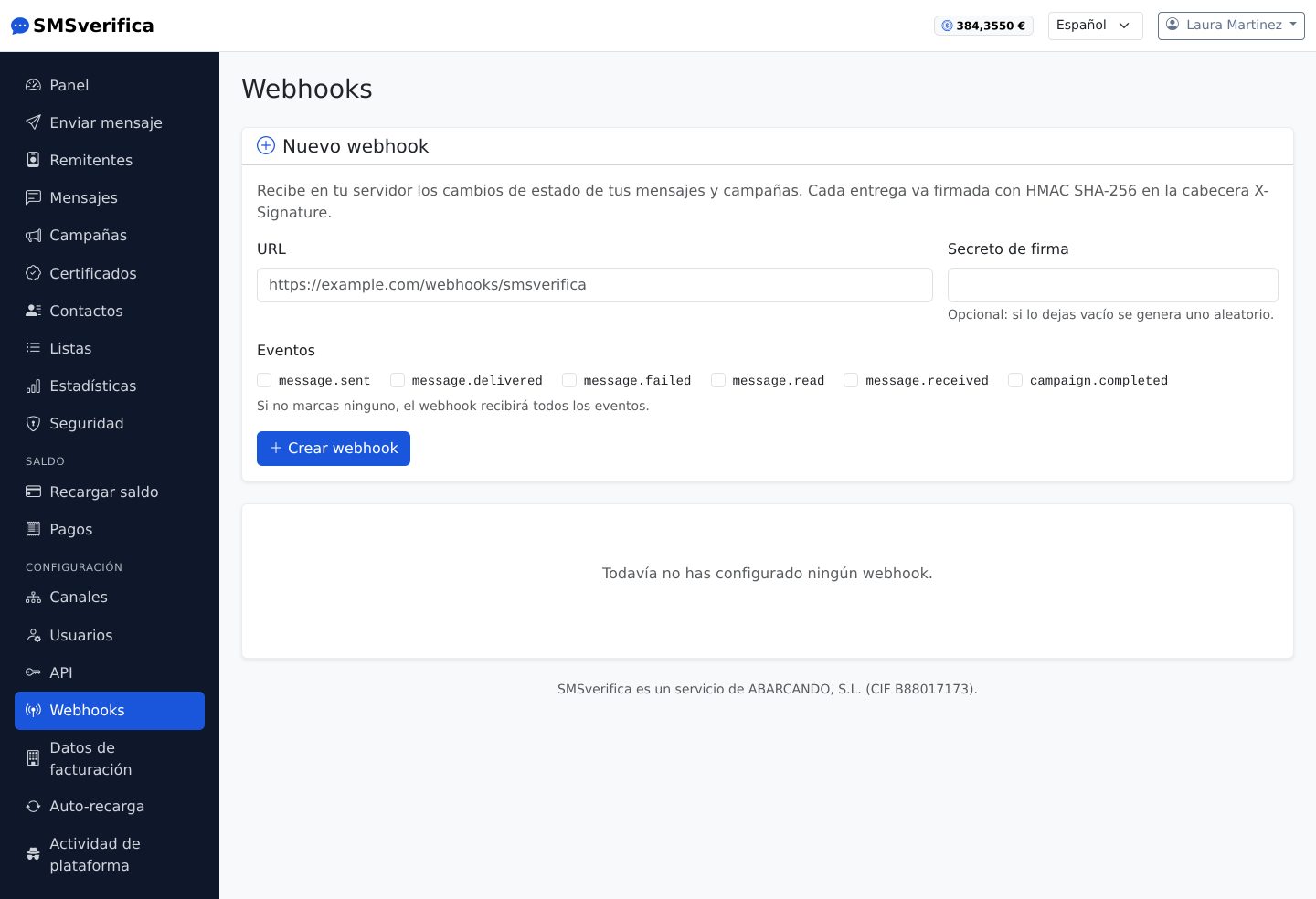
Instead of polling every minute, give us a URL of yours and we notify you of every status change (sent, delivered, failed, read…), with a signature so you can verify it is really us and automatic retries if your server does not respond.
12. Channels: WhatsApp and Telegram with your own credentials
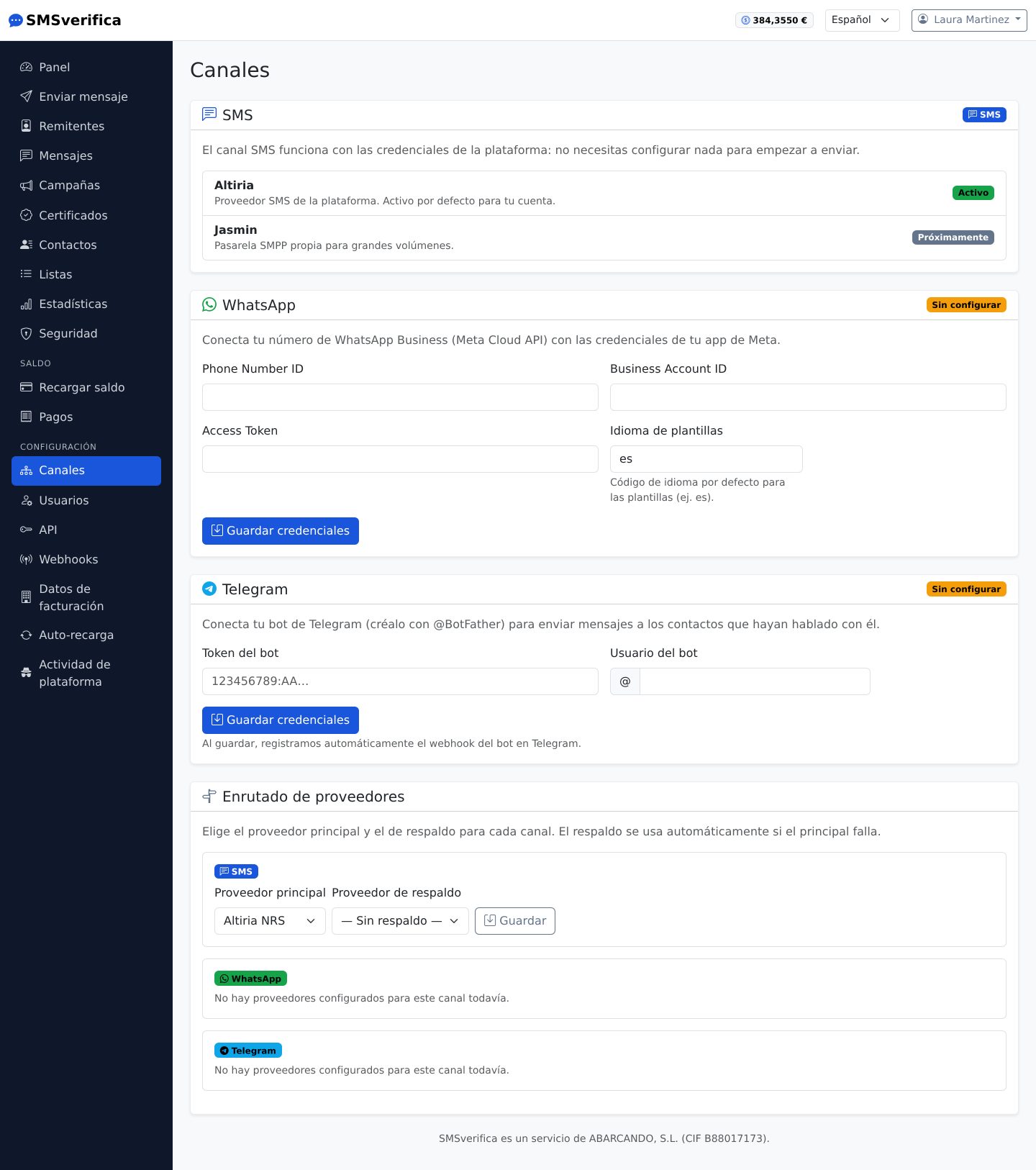
- WhatsApp Business API: you connect your own Meta account (phone number ID, WABA ID and token). Your templates are synchronised daily from Meta with their real category, which is the one Meta bills.
- Telegram: you connect your bot (BotFather token). The condition for this
channel is set by Telegram: the contact must have started a conversation
with your bot at least once; from then on, delivery is immediate and
reliable. The bot captures the
chat_idautomatically when the user writes to it.
Credentials are stored encrypted and are never shown in full.
13. Users and roles
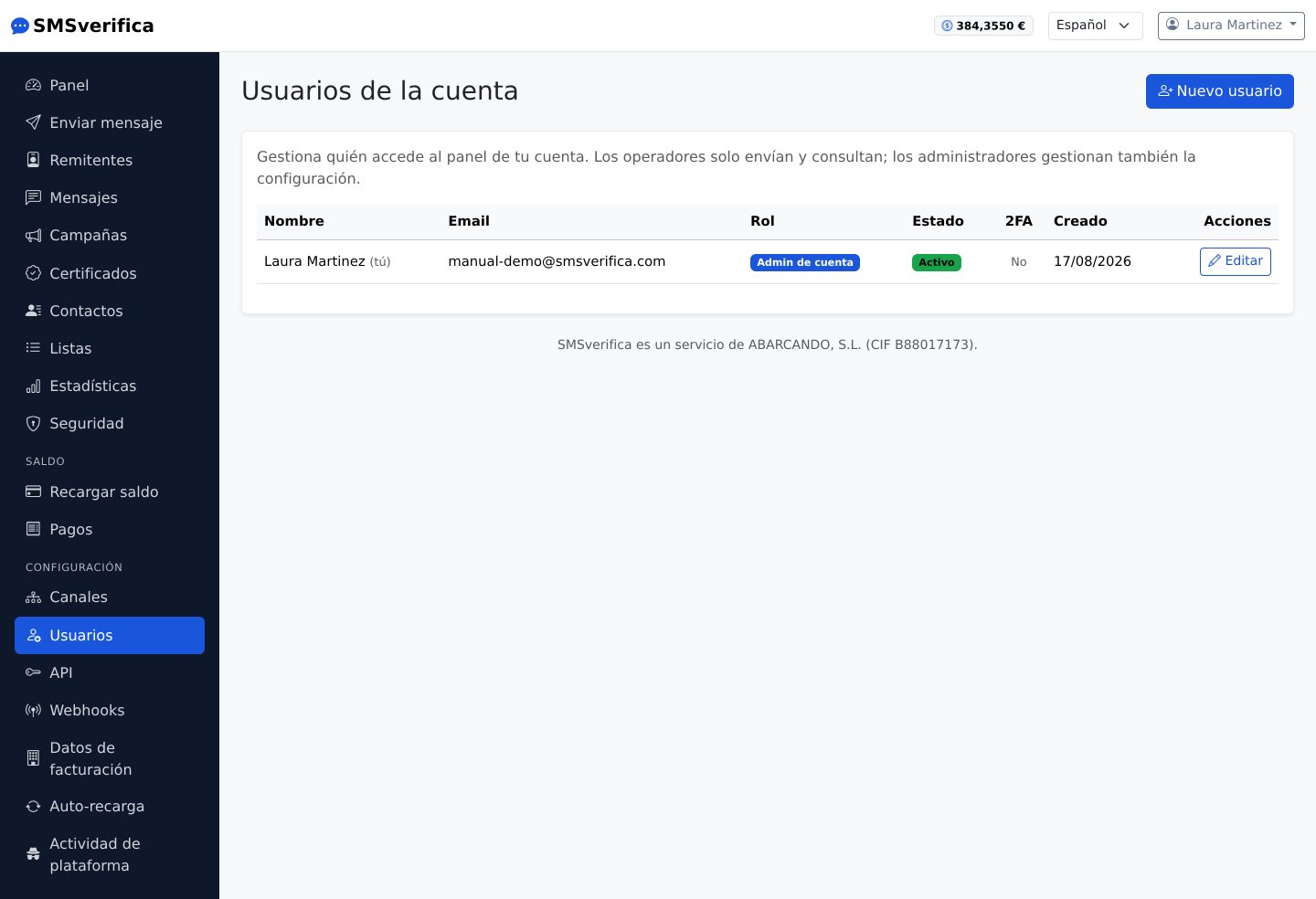
Two roles within your account:
- Administrator (
admin_cuenta): everything — users, channels, API, balance. - Operator: sends and queries; does not touch configuration or money.
Users are created by invitation or with a temporary password, are deactivated rather than deleted (their history is kept) and each one can enable their own 2FA.
14. Billing details
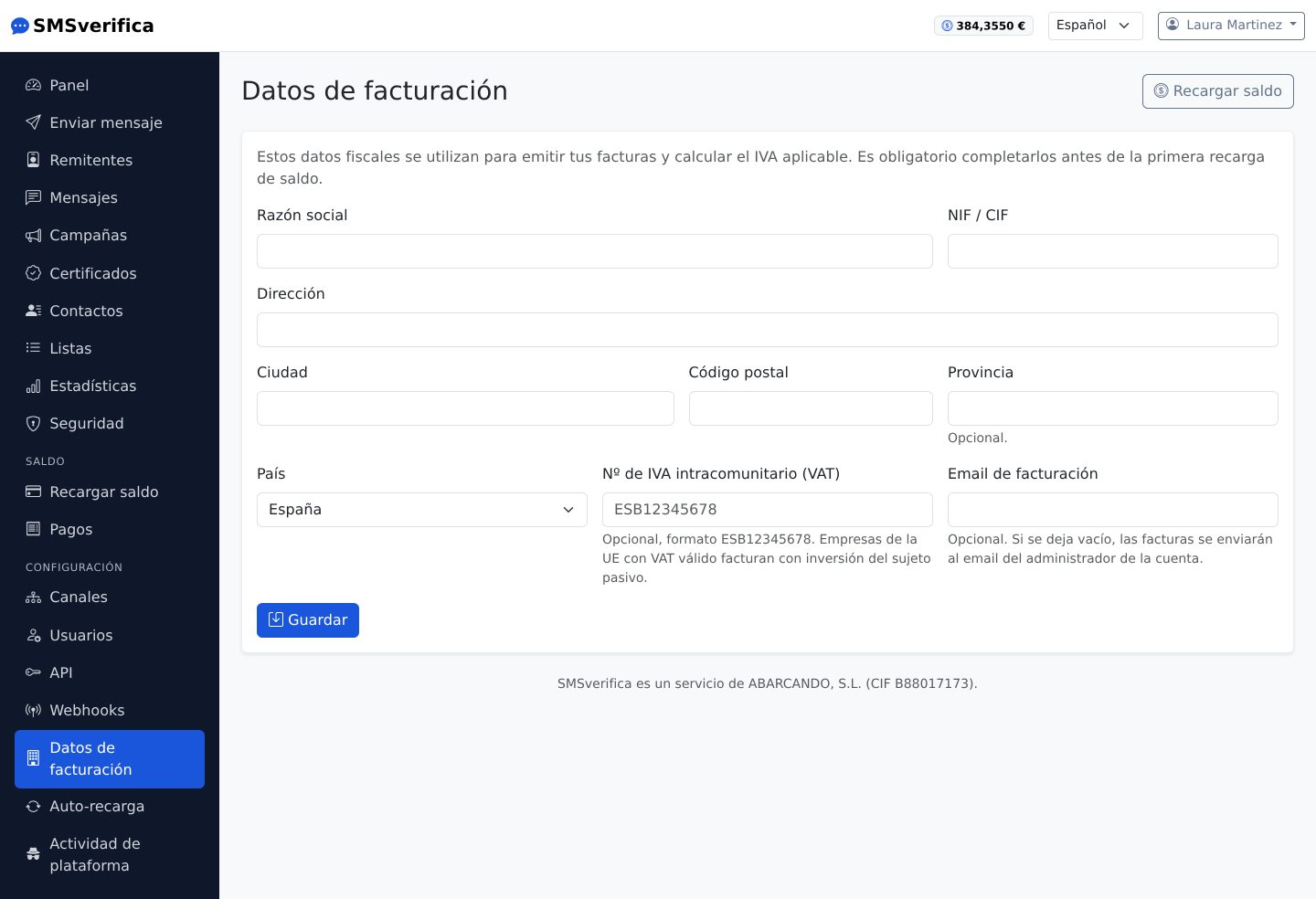
Registered company name, NIF/CIF tax ID and tax address: what appears on your invoices and — importantly — the tax ID under which your sender IDs are registered with the CNMC. Each invoice freezes the details as they were at the time of issue, so a change here does not rewrite past invoices.
15. Security
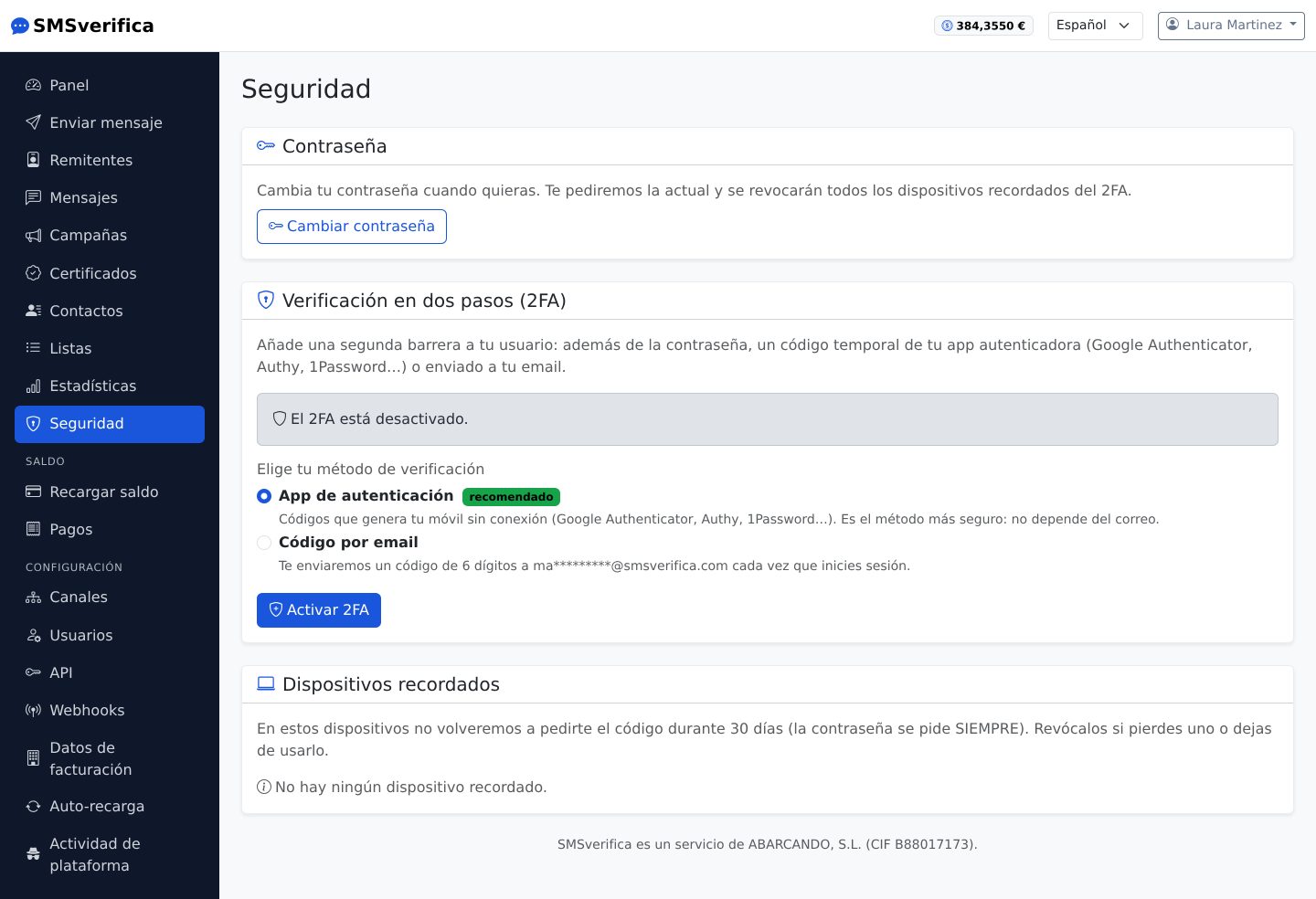
- Two-factor authentication (2FA) with an authenticator app or a code by email, your choice. One-time recovery codes in case you lose your phone.
- Remembered devices: you can skip the second factor for 30 days on a trusted browser (never the password). Revocable one by one.
- Changing your password closes all other open sessions.
16. Platform activity: what we do in your account
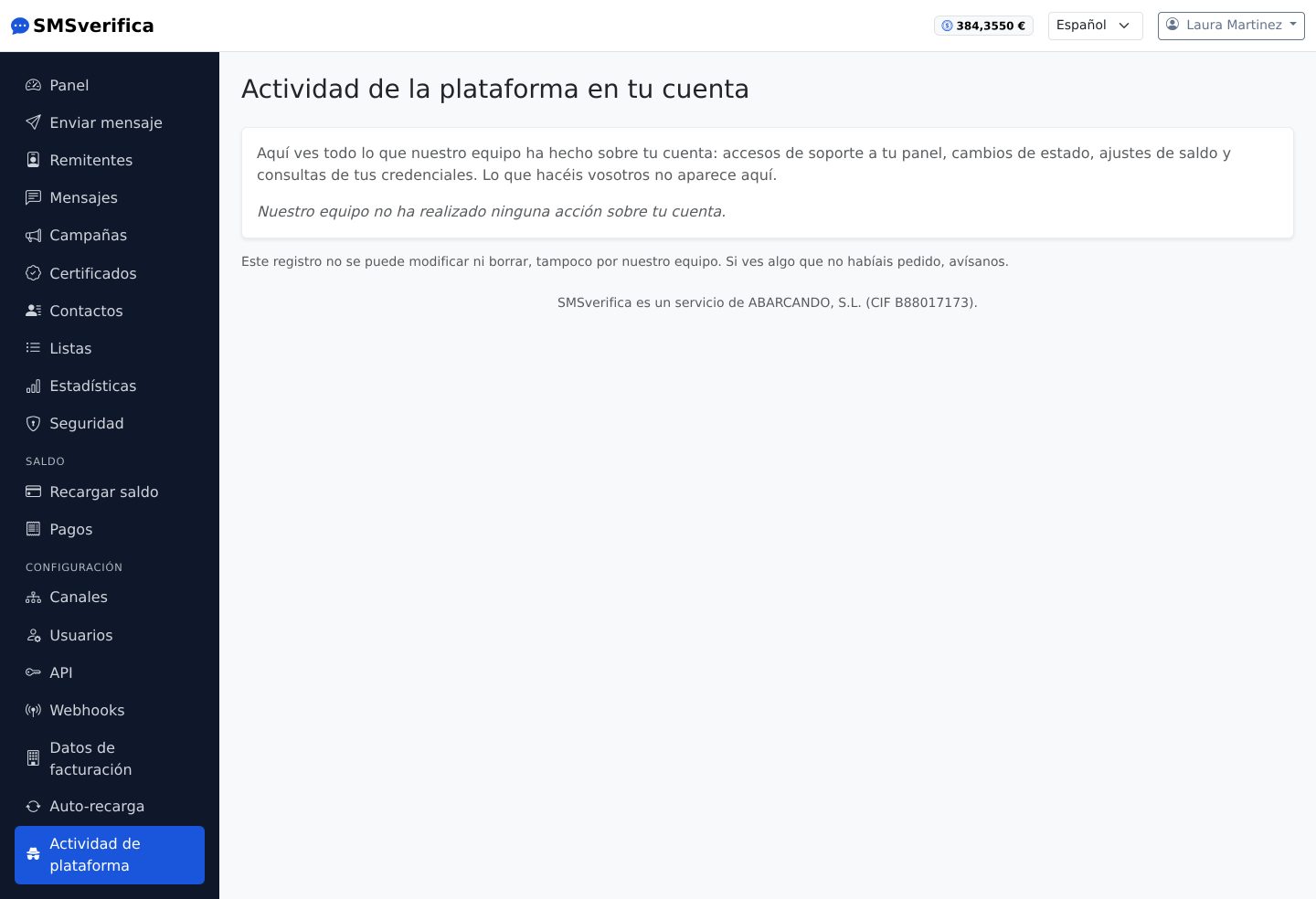
Transparency by design: if someone from the platform team acts on your account (support access, balance adjustment, issuing an API token…), it is logged and you see it here, as well as receiving an email notice. No small print.
17. Business cases
Clinics and practices — an appointment reminder the day before (a single-part SMS, €0.039) measurably reduces no-shows; confirmation with a reply; an annual check-up campaign to the patient list.
Retail and hospitality — WhatsApp promotions with a marketing template to customers who have opted in; order-ready notice by SMS; OTP to validate the phone number when registering on your website.
Logistics — "your parcel arrives today between 10:00 and 12:00" by SMS with a receipt; status webhook to retry through another channel from your backend if there is no delivery.
Software and integrators — OTP verification with two API calls; transactional multi-client messaging with tokens revocable per environment; certified messages for contract sign-ups or changes of terms, with the evidence PDF filed in your customer's record.
Public administrations and law firms — notifications that must be provable: a certified message with recorded reading and, if needed, signature with OTP.
18. Frequently asked operational questions
Why does my SMS cost double? — It is longer than 160 characters (or it contains an accent/emoji that switches it to Unicode, 70 per part). The counter on the sending screen tells you before you send.
Why does a "Delivered" message turn out not to have reached the customer? — In some countries the receipt only confirms acceptance by the network. Check the destination reliability warning in the message detail.
Can I test the API without spending? — Yes: in test mode, the whole API works with simulated sends and realistic statuses. Zero cost.
What happens if I run out of balance halfway through a campaign? — The messages already charged go out; those that are not charged remain unsent and the campaign reflects this. With auto top-up, this does not happen.
How do I cancel a scheduled campaign? — From its record, while it is "Scheduled". Anything already dispatched cannot be pulled back from the network.
SMSverifica is a service of ABARCANDO, S.L. (CIF B88017173), an operator registered in the CNMC Operators Register and a provider registered at origin (PRO) in the Sender ID Register. Support: soporte@abarcando.com · 910 054 224.