SMSverifica help · section 4 of 18
4. Sending a message
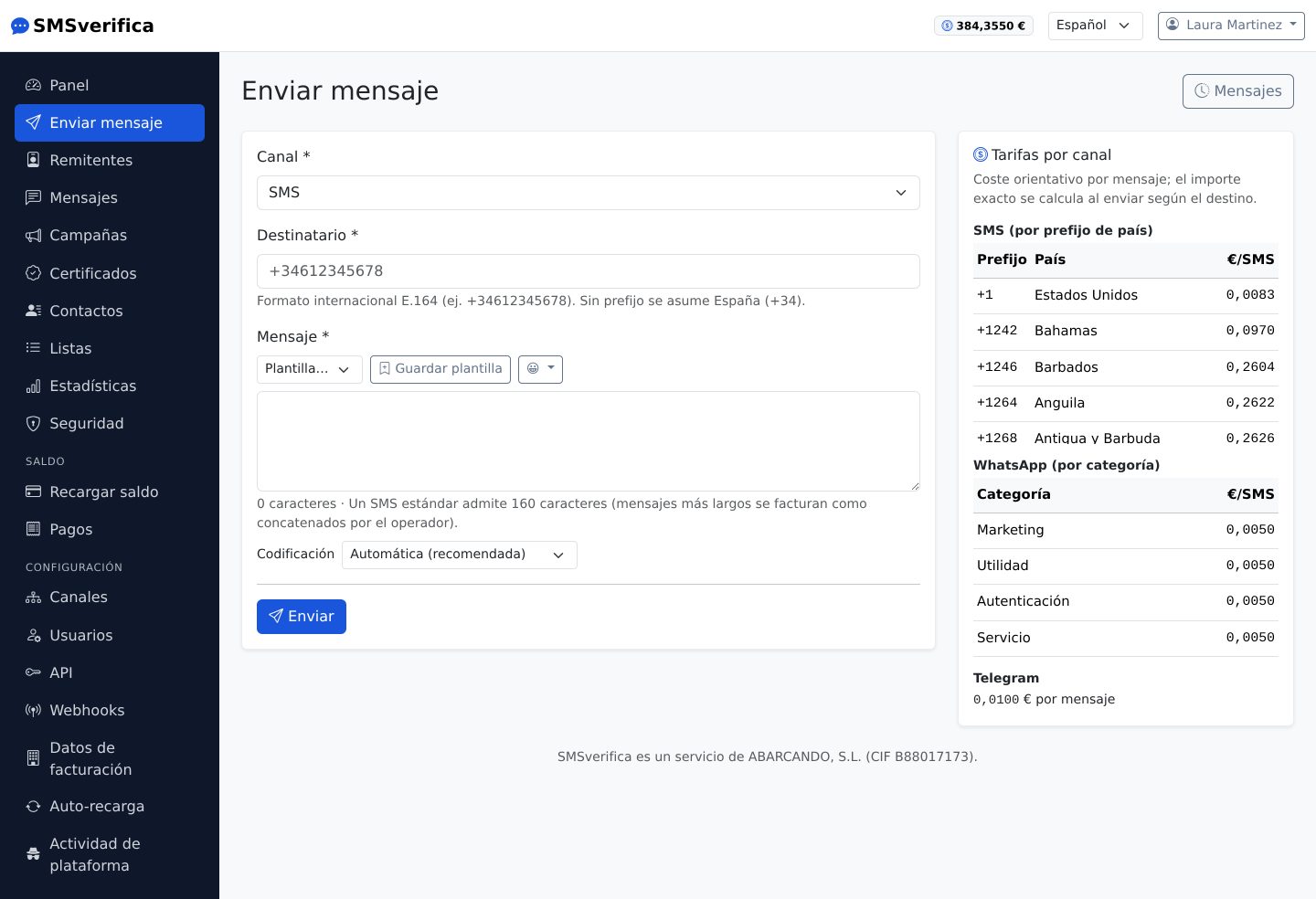
The sending screen works for all three channels; you choose the Channel at the top and the form adapts:
- Recipient in international E.164 format (
+34612345678). If you do not enter a country code, Spain is assumed — and the platform watches for the two typical mistakes: a foreign number without its country code is rejected with a message telling you how to fix it, and a number that ends up as a Spanish landline (8xx/9xx, which normally does not receive SMS) is sent but with a warning, because it is usually a foreign mobile missing its country code (the classic case: a Portuguese 9xx mobile typed in as is). In bulk contact imports, the summary tells you how many numbers in the file ended up like this, so you can fix them before launching the campaign. - Message with a character counter. A standard SMS allows 160 characters; longer ones are sent as concatenated messages and the operator bills each part as an SMS (the counter tells you how many parts there are).
- Accents and emojis count: a single character outside the GSM alphabet forces Unicode encoding and the SMS goes from 160 to 70 characters per part. The "Automatic" encoding always picks the cheapest one.
- Templates: save the texts you repeat and reuse them with one click.
- Opt-out link: if the message is marketing, press Opt-out link (or
write
{BAJA}in the text). It becomes a short link that lets the recipient stop receiving your marketing messages in one step; Spanish law (LSSI, art. 21) requires offering it in every one. If that person has already opted out, the send is rejected at no charge. Messages without{BAJA}—codes, appointments, notices— are never blocked. - Delivery options (SMS only): a Flash SMS appears directly on the phone screen, without opening the inbox; the validity period makes the operator discard it if it could not be delivered in time, useful for codes that expire.
- Page: choose one of your pages and press Page (or write
{PAGINA}): it becomes a link to it, different for each recipient (see “Pages” in section 7). - The Rates by channel panel on the right tells you the cost per destination before you send; the exact amount is calculated on sending according to the country.
On WhatsApp, if you use a template approved by Meta, the category Meta bills (marketing, utility, authentication or service) is the one Meta has assigned to that template. Our platform price is the same for all four; the conversation is billed by Meta separately, against your WhatsApp Business account.